Writing10 min readFahim
AI Agents vs Workflow Automation: When You Need Each
AI agents vs workflow automation: how they differ, where each one wins, where AI is unnecessary, and a test that stops you building an agent you don't need.
- Automate
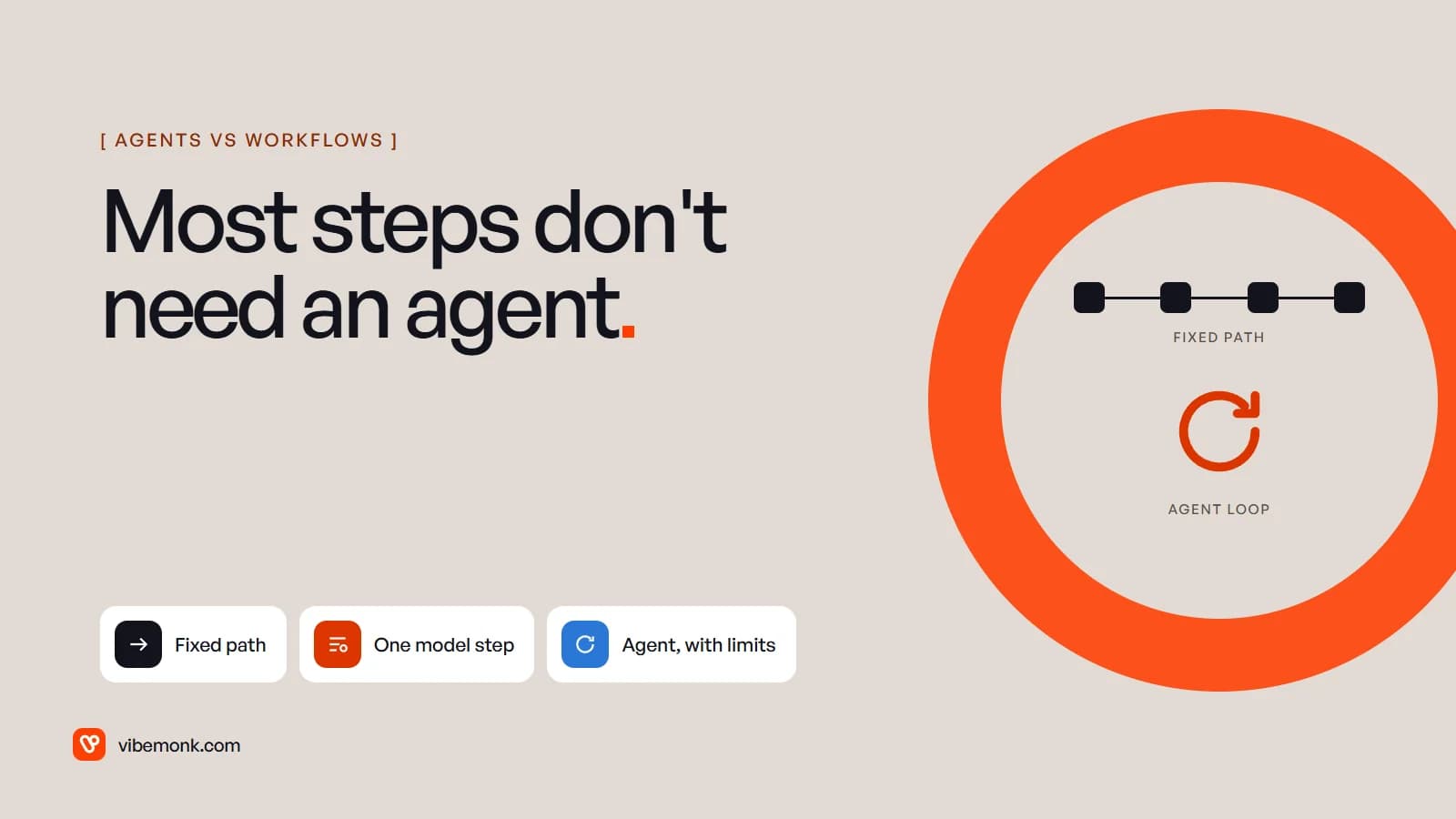
The difference in AI agents vs workflow automation comes down to who decides the next step. Workflow automation runs a path you designed in advance: when this happens, do these steps in this order. An AI agent gets a goal and a set of tools, and the model picks the next action itself, within limits you set. Use a workflow when you can draw every step of the process. Consider an agent only when the steps genuinely change from case to case, and when a wrong step can be caught before it does damage. In practice the right answer is usually somewhere in between: a fixed workflow with one model step inside it. This post covers four options, when each one fits, and how to avoid paying for an agent you don't need.
AI agents vs workflow automation: the one difference that matters
Both can use a language model, so "AI or not" isn't the useful split. The split is control flow.
Anthropic's engineering team puts it precisely. Workflows are "systems where LLMs and tools are orchestrated through predefined code paths". Agents are systems where "LLMs dynamically direct their own processes and tool usage" (Building effective agents). OpenAI's definition lands in the same place: an agent uses a model "to manage workflow execution and make decisions", and "dynamically selects the appropriate tools depending on the workflow's current state". It also notes that apps which use a model without letting it control execution, such as a sentiment classifier, "are not agents" (A practical guide to building agents).
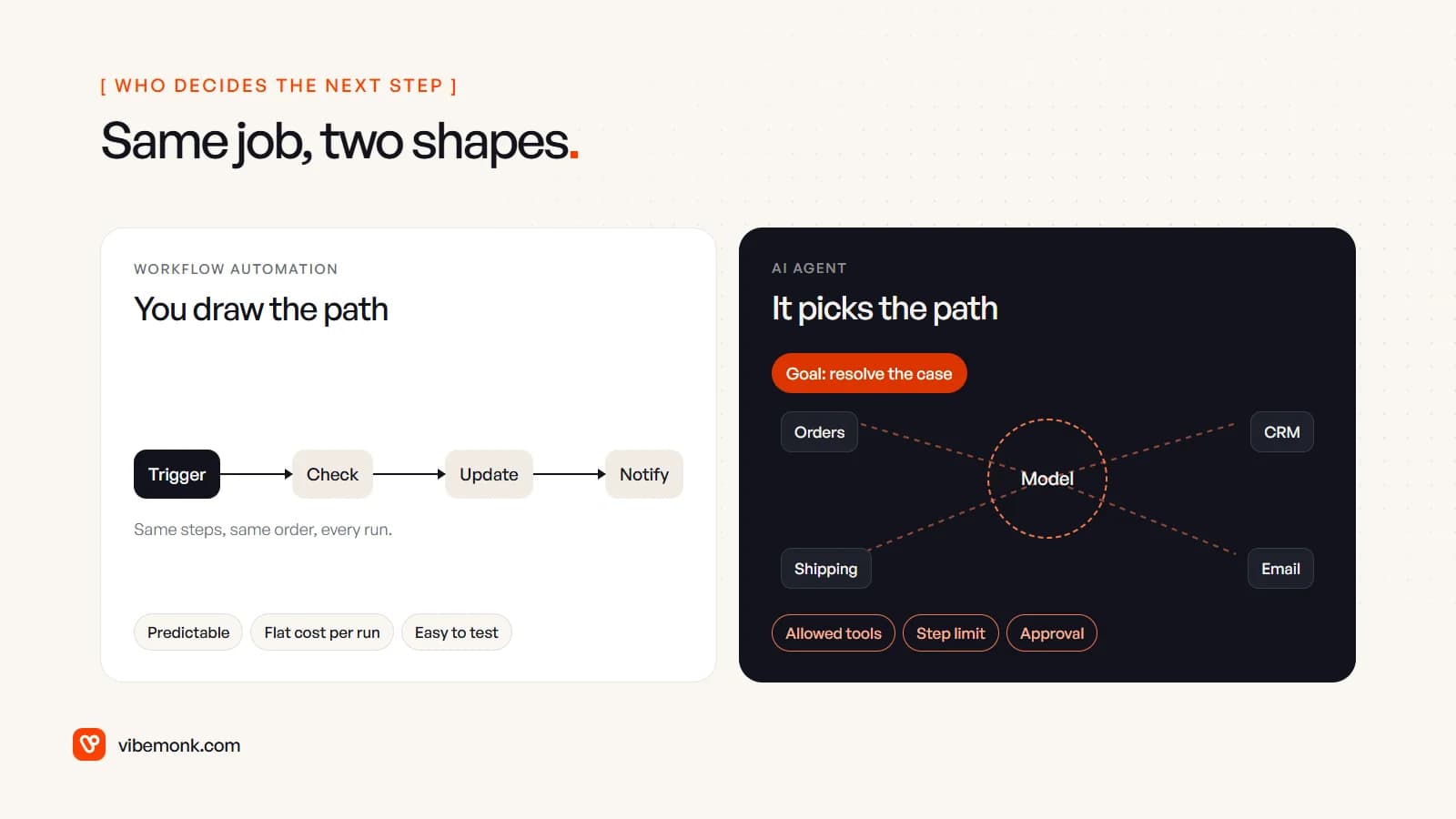
That one difference drives everything else an operator cares about:
| Workflow automation | AI agent | |
|---|---|---|
| Who picks the next step | You, when you build it | The model, at run time |
| Same input, same result? | Yes | Not guaranteed |
| Cost per run | Predictable | Varies with how many steps the model takes |
| How you test it | Each branch once | A set of real cases, rerun after every change |
| When it fails | A step errors, usually loudly | It may take a plausible wrong action |
| Changing it | Edit the flow | Edit instructions, tools or model, then re-test |
| Good at | Known paths, high volume, exact rules | Paths you can't write down in advance |
Neither column is "better". They're tools for different kinds of problem. If you want the agent side in more depth first, our explainer on what an AI agent is and how it works walks through the loop.
Four answers, not two
Framing this as agent versus workflow hides the options most businesses actually end up with. There are four, and they sit on one line: how much of the path the model decides.
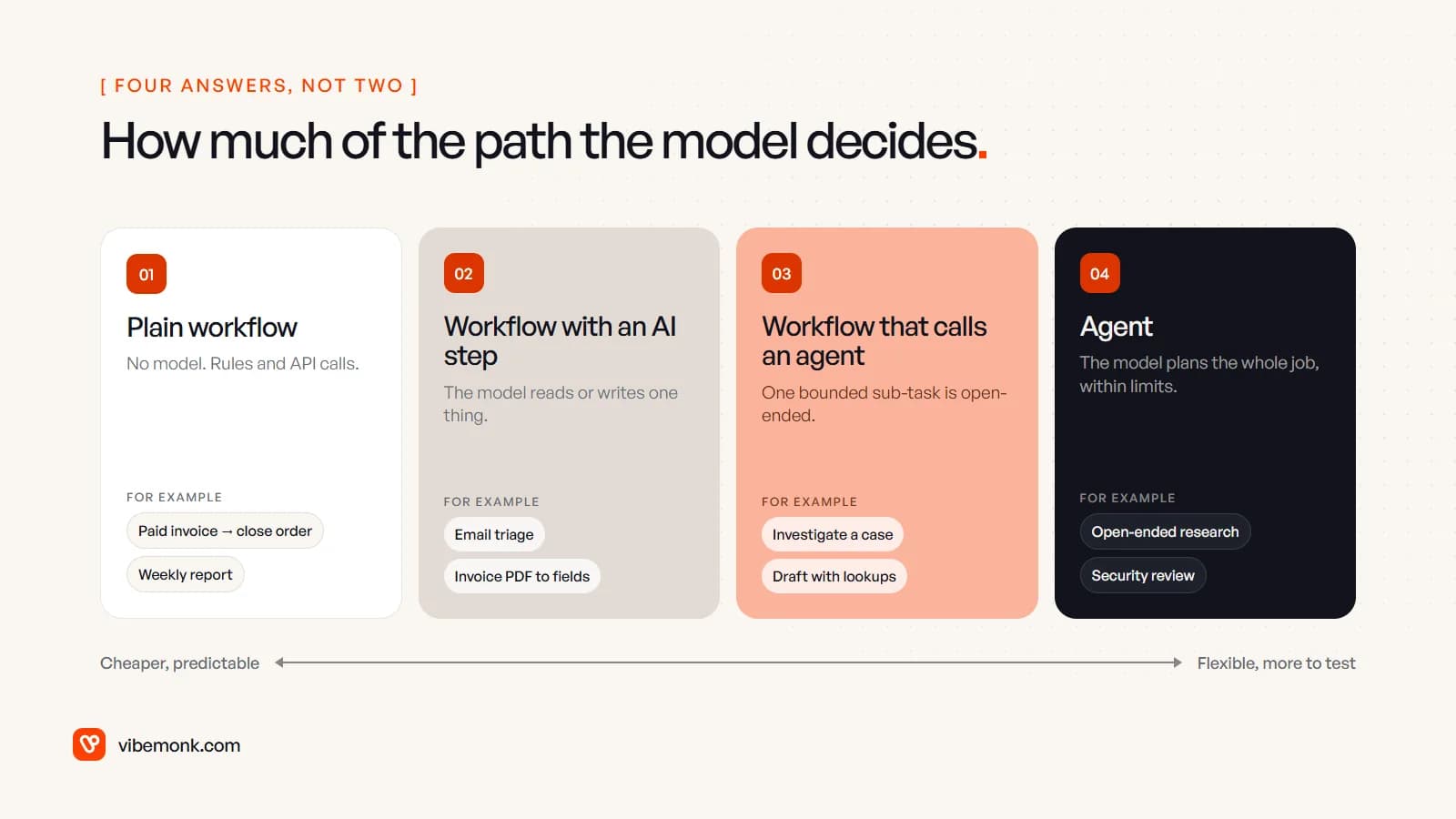
- Plain workflow. No model. Triggers, rules and API calls. A paid invoice closes the order; a weekly report pulls numbers and posts them.
- Workflow with an AI step. The path is still fixed, but one step needs reading or writing text, so a model does that step. Everything around it stays deterministic.
- Workflow that calls an agent. The process is fixed, but one sub-task inside it is open-ended, so an agent handles that box and hands back a result the workflow checks.
- Agent. The model plans the whole job, inside tight limits. Rarer than the marketing suggests.
Anthropic's advice is to find "the simplest solution possible, and only [increase] complexity when needed", adding that for many applications "optimizing single LLM calls with retrieval and in-context examples is usually enough". Read the four options as a ladder: start at the lowest rung that does the job, and climb only when you hit a case it can't handle.
When workflow automation wins and AI is unnecessary
A plain workflow is the right answer when you can write the rule. If the decision is "if the amount is over the limit, route to the finance lead", a model adds cost, latency and a chance of being wrong, and gives you nothing in return.
Typical cases where we'd leave AI out entirely:
- Status changes between systems. Payment received, order marked paid, customer notified.
- Scheduled work. Nightly syncs, weekly reports, reminders on a timer.
- Form to record. Structured fields from a form become a CRM contact. The fields are already labelled; nothing needs reading.
- Calculations and thresholds. Totals, tax, discounts, SLA timers. Code does arithmetic exactly; a language model doesn't promise to.
- Filtering on clear signals. In GrowthDesk, an outreach operations platform we built, incoming mail is scored for spam on its headers with no AI call, and refused messages stay in a spam box with the reason shown.
The reasons are engineering ones. A deterministic step gives the same output for the same input, so one test per branch covers it. When it fails, it throws an error you can alert on. Its cost doesn't move. Put a model into a step like this and you swap all three for a step that is slower, costs money every run and needs its own test set.
There's also an honest middle case: low volume. If a task takes a person ten minutes a week, neither a workflow nor an agent may pay back the build and maintenance. Writing the steps down can be enough.
When AI-assisted automation is the right middle
Most of the real wins sit at rung two: a fixed workflow where one step deals with messy input. The tell is a step on your process map that, if you're honest, says "someone reads this".
- An email arrives and someone decides what it is and who should get it.
- A supplier PDF arrives and someone types the totals into the accounting system.
- A call ends and someone writes the summary onto the CRM record.
Each of those is a single, well-defined job for a model: take this input, return these fields. The workflow around it stays fixed. Plain code checks the model's output against allowed values, and anything that fails goes to a person. Our post on AI workflow automation walks through one of these pipelines step by step.
GrowthDesk shows the pattern. Replies are read back from the team's mailboxes and sorted into seven intents, with AI-suggested replies and negotiation advice. The buying rules stay fixed: each deal has a target and a ceiling, and a deal outside the rules waits for someone with the authority to approve it. The model helps with reading and drafting. It doesn't decide what the business will pay.
This is the option we'd recommend most often, because it gets most of the value of AI while keeping the workflow testable. The model's job is narrow enough to measure: give it fifty past emails with known right answers and count how many it gets right.
When an AI agent is justified
An agent earns its cost when you can't write the path down, because the right next step depends on what the previous one found. OpenAI's guide lists three signs a workflow has "previously resisted automation" and may suit an agent:
- Complex decision-making: "nuanced judgment, exceptions, or context-sensitive decisions", such as refund approvals.
- Difficult-to-maintain rules: rulesets so extensive that "updates [are] costly or error-prone", such as vendor security reviews.
- Heavy reliance on unstructured data: interpreting natural language or documents, such as a home insurance claim.
Its conclusion is the one to hold on to: validate that your use case meets these criteria clearly. "Otherwise, a deterministic solution may suffice."
A realistic business example is investigating a support case. "My order never arrived" might need the order system, then the carrier's tracking, then past tickets, then the refund policy, or it might be answered by the first lookup. The order of the steps varies by case, which is exactly what a fixed flow handles badly and an agent handles well. Notice, though, that the agent's job is the investigation. Issuing the refund can stay a workflow step behind an approval. That's rung three: the agent works inside one box and the process around it stays fixed.
When you do build one, the constraints are what make it a system rather than an experiment:
- Allowed tools only. It can read the order system and the carrier API. It can't touch billing.
- A step limit. In n8n's Tools Agent, for example, Max Iterations sets how many times the model runs to reach an answer, and it defaults to 10 (n8n docs).
- Approval before consequential actions. Sending, paying, deleting and changing customer records wait for a person.
- A log of every step. When it gets something wrong, you need to see which tool call led there.
- A test set. Real past cases with known outcomes, rerun whenever the instructions, tools or model change.
Anthropic is direct about the trade: agentic systems "often trade latency and cost for better task performance", and autonomy means "higher costs, and the potential for compounding errors". Its recommendation is "extensive testing in sandboxed environments, along with appropriate guardrails". If you'd like the full picture before committing, we've written a separate guide to agentic AI for businesses.
How teams overengineer this, and the opposite mistake
The common failure isn't picking the wrong vendor. It's putting an agent where a workflow would do. It usually looks like one of these:
- An agent that always takes the same path. If the logs show it calling the same three tools in the same order every time, you have a workflow that costs more per run and passes tests less reliably. Rebuild it as one.
- A model doing a lookup. Asking an agent to "find the customer's plan" when an API call returns it exactly. The model adds a chance of error to a question that had a correct answer.
- Cost nobody modelled. Here is a worked example of how it adds up. Say a process runs 2,000 times a month. As a workflow with one model step, that's 2,000 model calls. As an agent with a step limit of 10, it's roughly 2,000 to 20,000 model calls, depending on how many iterations each case takes. Same process, and the bill can be up to ten times higher, and harder to predict.
- No way to test it. Teams ship an agent, see it work on five examples, and find out about the failure modes from customers.
The opposite mistake is real too: forcing a workflow onto a job that needs judgement. You can spot it when the flow has grown dozens of branches that people keep patching, each one an exception someone found the hard way. That's OpenAI's "difficult-to-maintain rules" sign. Often the fix still isn't a full agent. It's replacing the tangle of branches with one model step that classifies the case, followed by a short fixed flow per class.
A test you can run on any process
Before choosing a tool, draw the process as it runs today on a whiteboard, with the people, the systems and every decision. Then look at what you drew.
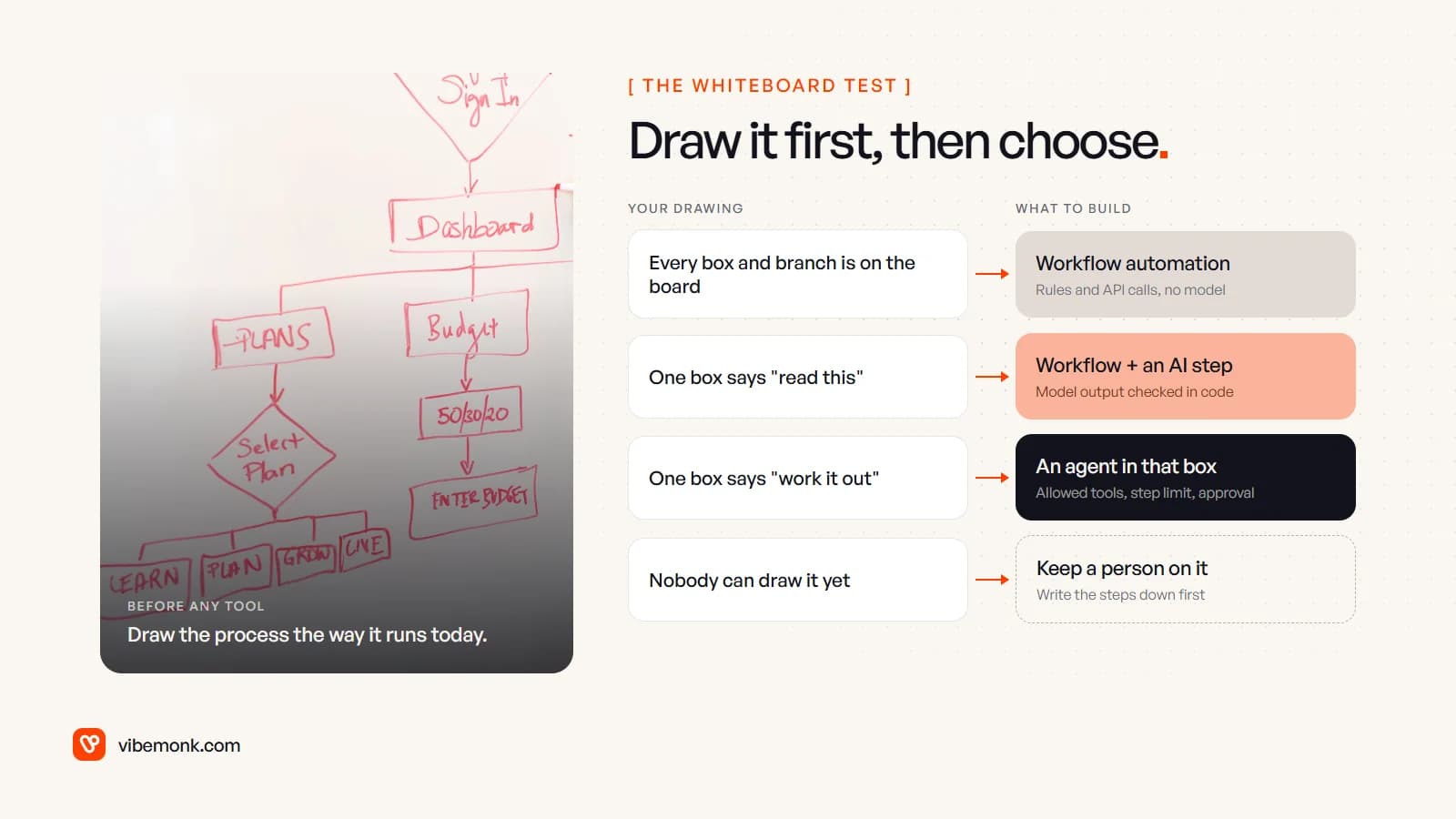
- Every box and branch is on the board. Build a workflow. Rules and API calls, no model.
- One box really says "read this" or "write this". Build the workflow and put a model in that box, with its output checked in code.
- One box says "work it out", and the steps inside it change case by case. Put an agent in that box only, with allowed tools, a step limit and approval before anything consequential. Keep the rest as a workflow.
- Nobody can draw it. Don't automate it yet. Keep a person on it and write the steps down. An agent can't fix a process nobody understands. It just makes the confusion harder to trace.
Most processes come out as mostly option 1 with an option 2 box or two. That's the cheapest version to run and the easiest to debug when something breaks, and it's what we'd build first.
Choosing for your own process
The decision is made per step, not per project. Start at the lowest rung, measure it on real cases, and move a step up the ladder only when you can name the case the simpler version got wrong.
If you have a process in mind and want it mapped this way, our discovery work produces exactly that drawing, with each step marked rule, model, agent or person. When it's clear what to build, our AI automation and AI agents service builds it, with the logging, limits and approval steps that keep it predictable once real work runs through it.