Writing10 min readRh Razu
AI Agents for Small Business: Where to Start
AI agents for small business without a tech team: the first three workflows worth handing over, what to avoid, and how to start small and cheap.
- Grow
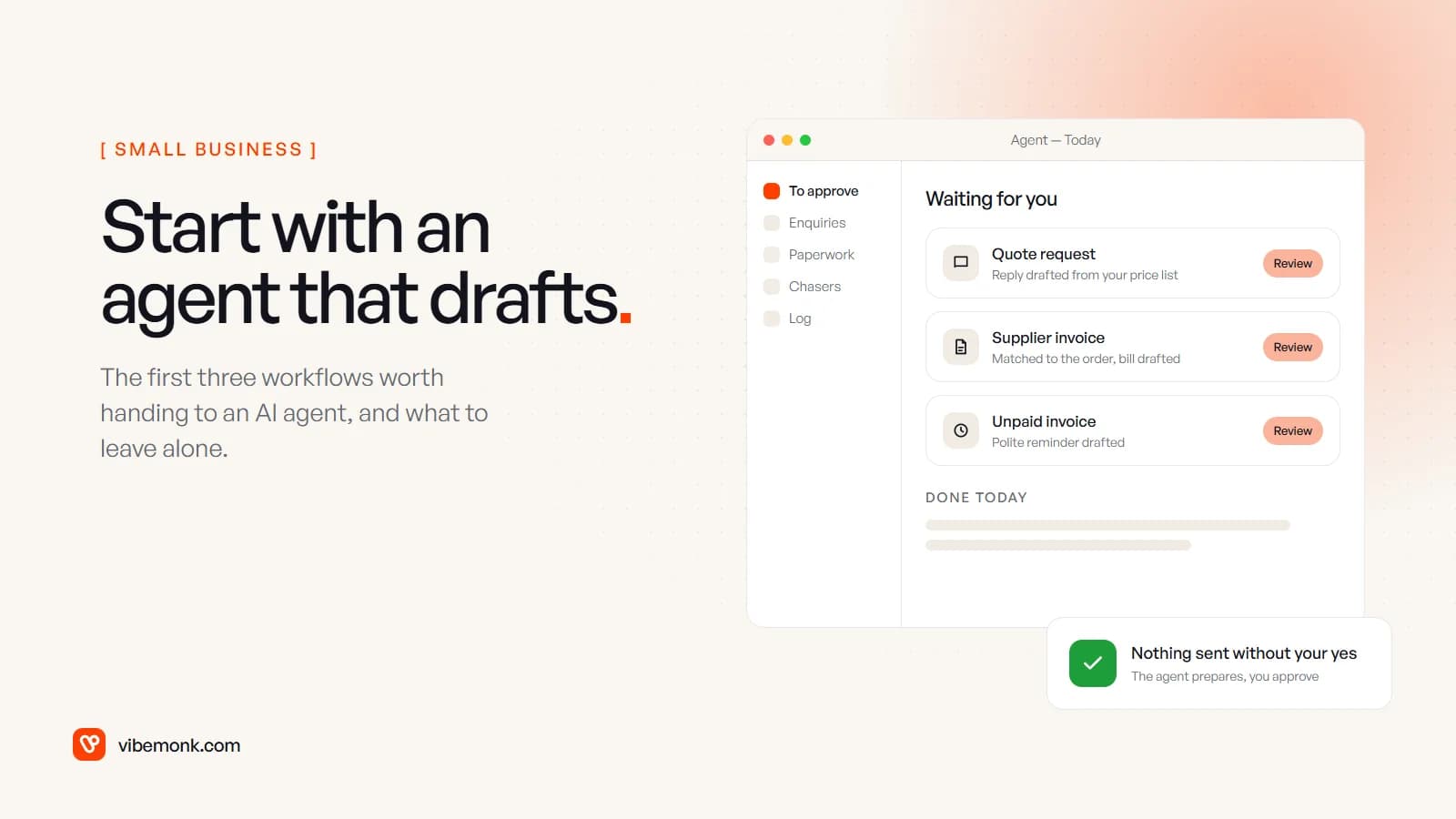
If you run a small business with no tech team, start with one AI agent that prepares work and leaves the final click to you. The three best first jobs for AI agents for small business are almost always the same: answering new enquiries, processing the paperwork that arrives by email, and chasing quotes and invoices that have gone quiet. In each one the agent reads, looks things up and drafts; you send or approve. Avoid anything that talks to customers on its own, moves money, or runs on a process nobody has written down. At small-business volumes the model bill can be a few dollars a month; the worked example below comes to $9.
The rest of this post covers why those three, what to check before you build anything, what to avoid, a four-week way to start, and what it costs.
What AI agents for small business are actually good at
An AI agent is a language model that can use tools in a loop: read the email, look up the customer, check the price list, write the draft, stop and ask. (The longer version is in what an AI agent is and how it works.) That makes agents good at one particular kind of work: tasks where the input is messy text, the steps are mostly known, and the output is something a person can check in seconds.
Small businesses have a lot of that work, and usually one or two people doing all of it between other jobs. They also have fewer safety nets than a larger company. There is no operations team to notice when something goes wrong, and no IT department to clean up after a bad integration. So the question for a small business is not "what could an agent do?" but "what can an agent do that I can check quickly and undo easily?"
Most small firms have not started yet. In the US Census Bureau's business survey, fewer than 20% of firms with four or fewer employees reported using AI in any business function between December 2025 and May 2026, against 37% of firms with 250 or more employees. Starting late is not a problem. It means you can skip the experiments that did not work for others.
Anthropic's engineering team gives the most useful rule here in Building effective agents: find "the simplest solution possible, and only increase complexity when needed". For a small business that usually means an agent that drafts, inside a workflow that is otherwise plain and predictable.
The first three workflows worth an agent
These three come first because they share four traits: they happen every week, they start with text a rule cannot read reliably, a mistake is caught before it leaves the business, and they are all close to money.
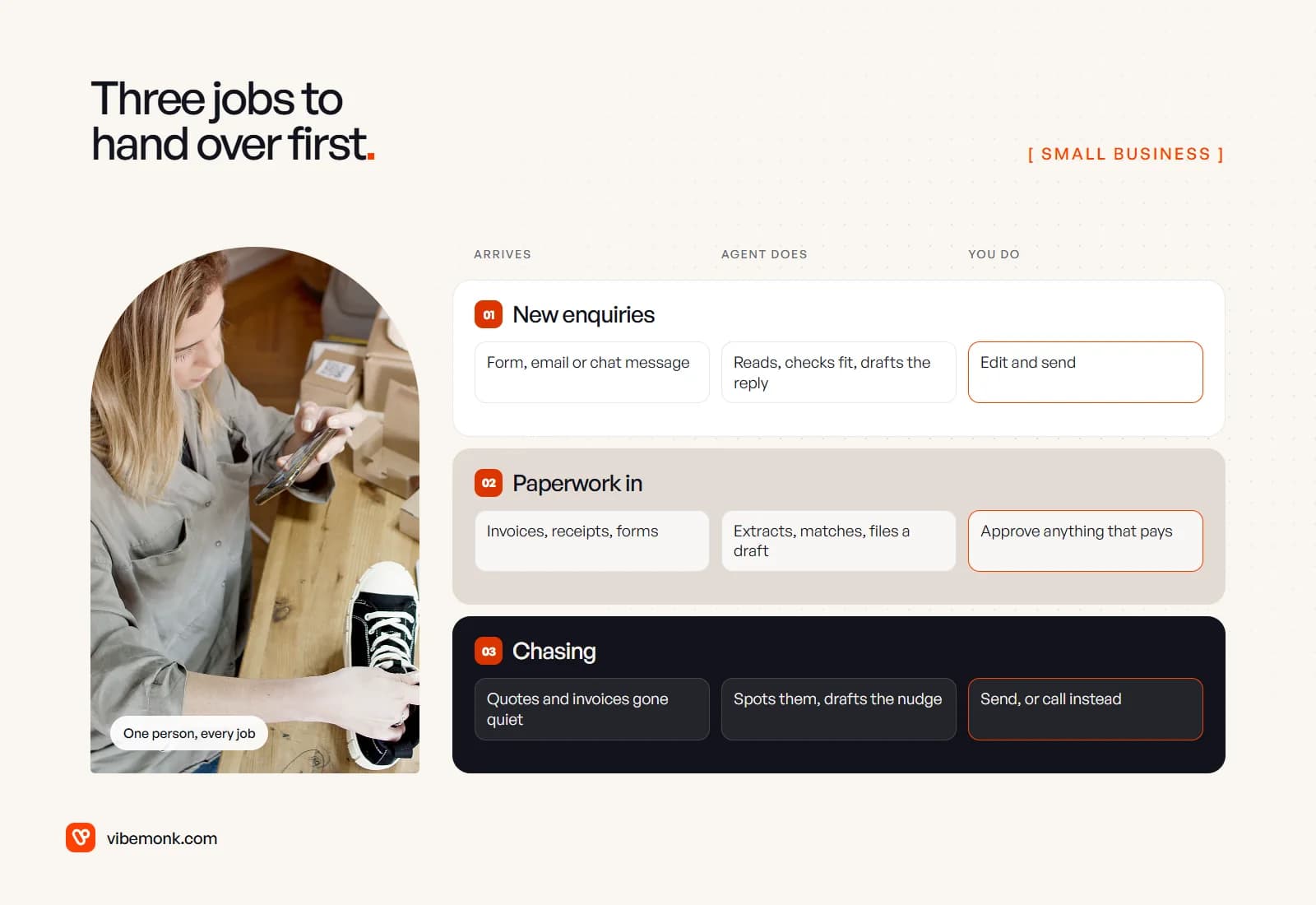
1. New enquiries: read, check, draft the reply
What happens today: a quote request arrives by form, email or chat. Someone reads it when they get a moment, works out whether it is a fit, finds the price list, and writes a reply. On a busy day the reply goes out tomorrow, and the enquiry has already asked two competitors.
What the agent does: reads the message, pulls out what the customer wants, checks it against what you sell and your price list, looks the sender up in your CRM or customer spreadsheet, and drafts a reply that answers the actual question. Enquiries that are not a fit get a polite draft too, or a label so you can ignore them.
What it needs: access to one inbox or form, the price list and service descriptions, and the customer list. What you do: read the draft, edit if needed, send.
This is the first one because it sits closest to new revenue, and a slow reply is a cost you never see: the customer simply buys elsewhere. The draft-and-approve pattern is also how we built reply handling in GrowthDesk: incoming replies are read back and classified, and the AI suggests replies, while deals past the agreed limits go to a person for approval.
2. Paperwork in: invoices, receipts and forms
What happens today: supplier invoices, receipts, booking forms or signed documents arrive as attachments. Someone opens each one, types the details into the accounting tool or a spreadsheet, and checks it against the order.
What the agent does: extracts the supplier, amounts, dates and line items; matches them to the purchase order or booking; files a draft bill or record; and flags anything odd, such as a duplicate, a total that does not add up, or changed bank details.
What it needs: the inbox the documents arrive in, and access to create drafts (not final entries) in your accounting tool or sheet. What you do: approve the drafts, and personally confirm any change of bank details using a contact you already had, never the email that announced it.
3. Chasing: quotes and invoices that went quiet
What happens today: you send a quote or an invoice, mean to follow up, and remember three weeks later. Or nobody follows up because it feels awkward.
What the agent does: checks each day for quotes with no reply and invoices past due, reads the history, and drafts a short follow-up that refers to what was actually agreed. It stops when the customer replies or pays.
What it needs: read access to your quotes and invoices and the email thread. What you do: send the nudge, or pick up the phone for the customers where a call is better.
If you want more candidates once these are running, our list of AI automation ideas and the 15 business use cases go wider. For a first project, though, these three are hard to beat.
Check what you already pay for before you build
Some of this may already be inside software you use. Before paying anyone to build an agent, check the AI features in your accounting, CRM and help desk tools:
- QuickBooks lists a set of AI agents including Payments AI, which proposes invoice reminders, and Customer AI, which "identifies new leads in your email inbox and drafts personalized follow-ups". Which ones you get depends on your plan, and Intuit says you can review and edit AI-drafted messages, estimates, reminders and bills.
- HubSpot's customer agent answers support questions and hands off to your team. It needs a Professional or Enterprise subscription and is priced at $0.50 per resolved conversation.
A built-in agent is the cheapest start when the whole job lives in that one tool. It stops fitting when the job crosses tools: the enquiry arrives in Gmail, the prices live in a spreadsheet, the customer is in a CRM and the quote is built in your accounting software. That is where a small custom workflow earns its place.
| Option | Fits when | Watch out for |
|---|---|---|
| Built-in agent in a tool you already pay for | The whole job happens inside that tool | Plan upgrades and per-use fees; it cannot see your other systems |
| No-code workflow with an AI step (n8n, Make, Zapier) | Two or three tools, simple steps, someone willing to look after it | Someone has to fix it when an app changes; logic is hard to follow once it grows |
| Small custom build | The job crosses several tools, or you need logs, limits and approvals done properly | An upfront cost; pick someone who hands over the code and accounts |
What to avoid as a first project
The failures that hurt a small business are not clever-model failures. They are permission failures: an agent allowed to do something nobody would have approved.
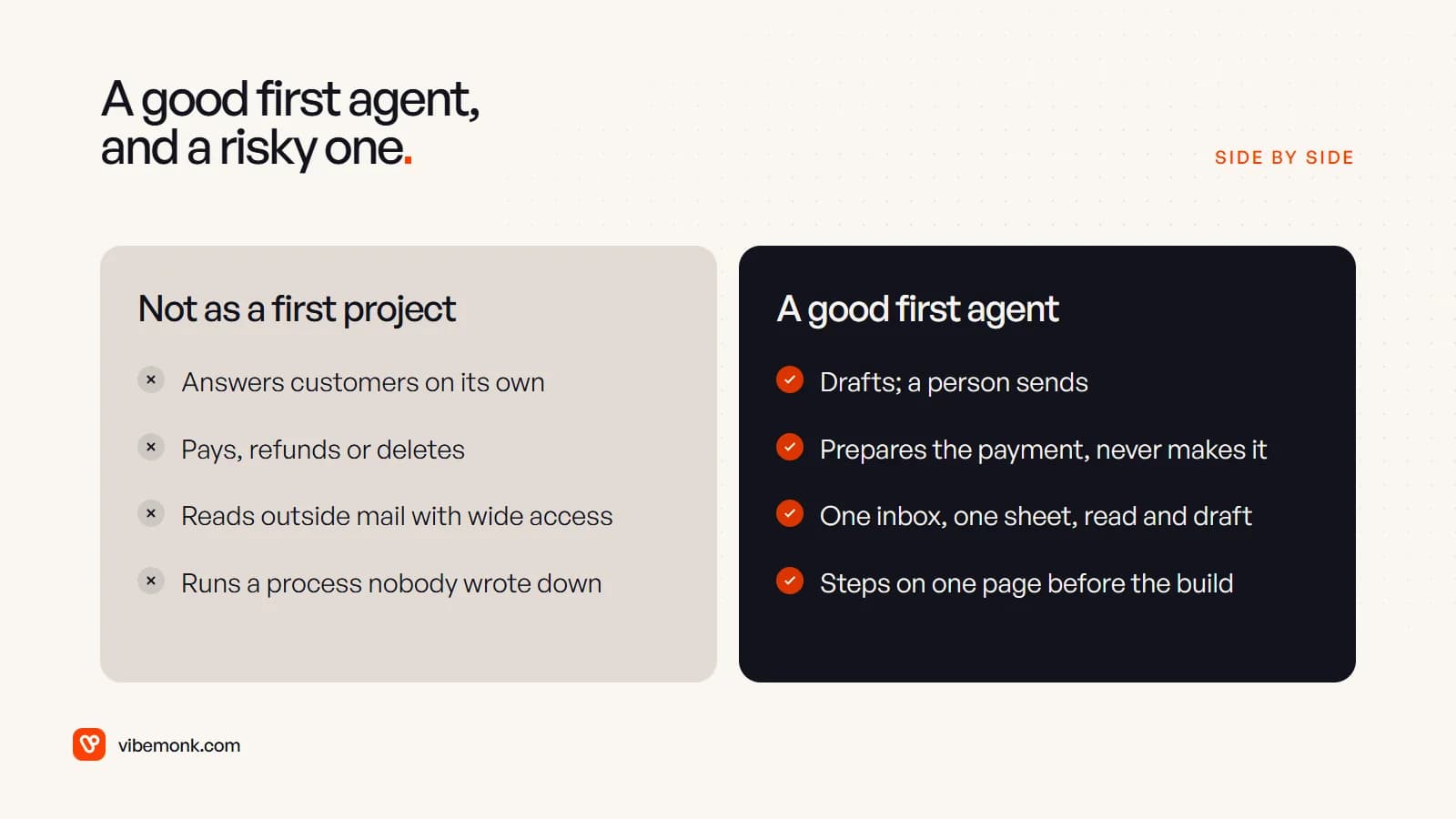
A customer-facing bot that answers on its own. Whatever it tells a customer, your business has said. In Moffatt v. Air Canada, a Canadian tribunal held the airline responsible for wrong refund information its website chatbot gave a customer. Start with drafts a person sends; let it answer alone only on topics where weeks of drafts needed no edits.
Anything that moves money or deletes records. The agent can prepare the payment, the refund or the cleanup. A person presses the button.
An agent reading outside email with wide access. Anything that reads messages from strangers can be fed instructions hidden in them. OWASP puts prompt injection first on its list of risks for LLM applications, and its first two mitigations are least-privilege access and human approval for high-risk actions. In practice: one inbox, draft-only rights, no access to anything the job does not need.
A process nobody has written down. If two people handle enquiries two different ways, the agent will learn neither. Write the steps on one page first. If you cannot, the first project is agreeing how the work should be done. Our test for whether you need an AI agent at all walks through this.
A year's contract before a month's evidence. Run one workflow for a few weeks before committing to a platform, a seat licence or a large build.
Start small: one workflow in four weeks
A small business does not need a pilot programme. It needs one workflow, run carefully, with a decision at the end.
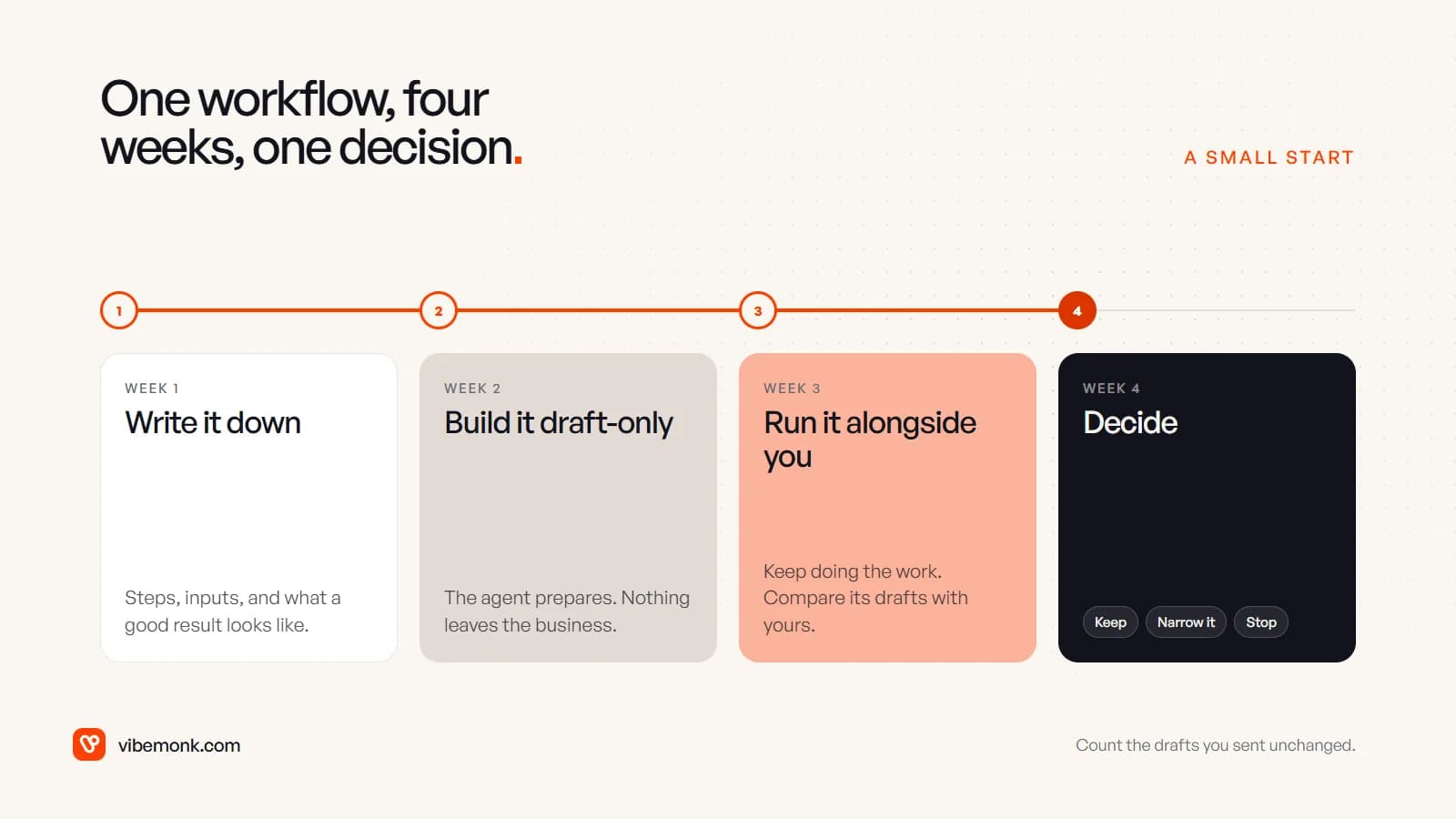
- Week 1: write it down. Pick one of the three workflows. List the steps, where the inputs arrive, which systems hold the answers, and what a good result looks like. Collect 20 or so real past examples, good and awkward ones.
- Week 2: build it draft-only. Connect the agent to one inbox and the minimum data it needs. Its only output is drafts in a place you already look: a label in your inbox, a draft bill, a row in a sheet. Nothing leaves the business.
- Week 3: run it alongside you. Keep doing the work yourself as usual. Compare its drafts with what you would have written. Note every edit and why.
- Week 4: decide. Count how many drafts you sent unchanged or with a small edit, and how long checking took. If checking is quicker than doing, keep it. If one type of case keeps going wrong, narrow the agent to the cases it handles well. If you still rewrite most drafts, stop, and you have lost a few weeks rather than a year's budget.
Only after that decision should the agent get more freedom, one action at a time, starting with the ones that are easy to undo.
What it costs to start
The running cost of a small agent is mostly the model and the workflow tool, and both are smaller than people expect. The bigger cost is setting it up properly and keeping it working.
A worked example, not a quote. Say you get 300 enquiries a month. Each run sends the model about 10,000 input tokens (instructions, your price list, the message, two lookups fed back to it) and gets about 1,000 tokens of draft back. At Claude Sonnet 5.5's list price of $2 per million input tokens and $10 per million output tokens:
| Line | Calculation | Per month |
|---|---|---|
| Input | 300 × 10,000 = 3M tokens × $2 | $6.00 |
| Output | 300 × 1,000 = 0.3M tokens × $10 | $3.00 |
| Model total | $9.00 |
Add the workflow tool. n8n's cloud Starter plan is listed at €20 a month billed annually for 2,500 workflow executions, and its self-hosted community edition is free if someone can run a server. Your token counts will differ; the point is the order of magnitude. A bigger model, longer documents or many more runs change the arithmetic, so measure in week 3 rather than guessing.
The setup is where the money goes: connecting your tools, writing the instructions, handling the odd cases, adding logs so you can see what it did. You can do that yourself with a no-code tool if someone on the team enjoys it. If not, our pricing page lists starting prices: one workflow automated from $299, and an AI workflow across several systems from $699, each as a fixed quote agreed before work starts.
Where to start this week
Pick the one workflow of the three that happens most often in your business and annoys you most. Write its steps on a page and collect 20 real examples. Then check whether a tool you already pay for covers it. If it does, switch that on in draft mode and run the four weeks. If the job crosses tools, that is a small build, not a big one.
If you would rather have someone map it with you first, discovery turns one process into a scoped plan before anything is built, and the agents and automations themselves sit under Automate.