Writing10 min readShimanto
Do You Need an AI Agent? A Test for Your Workflow
Do I need an AI agent, or would plain automation do? A five-question test to run on one workflow, with what each answer costs to build and run.
- Automate
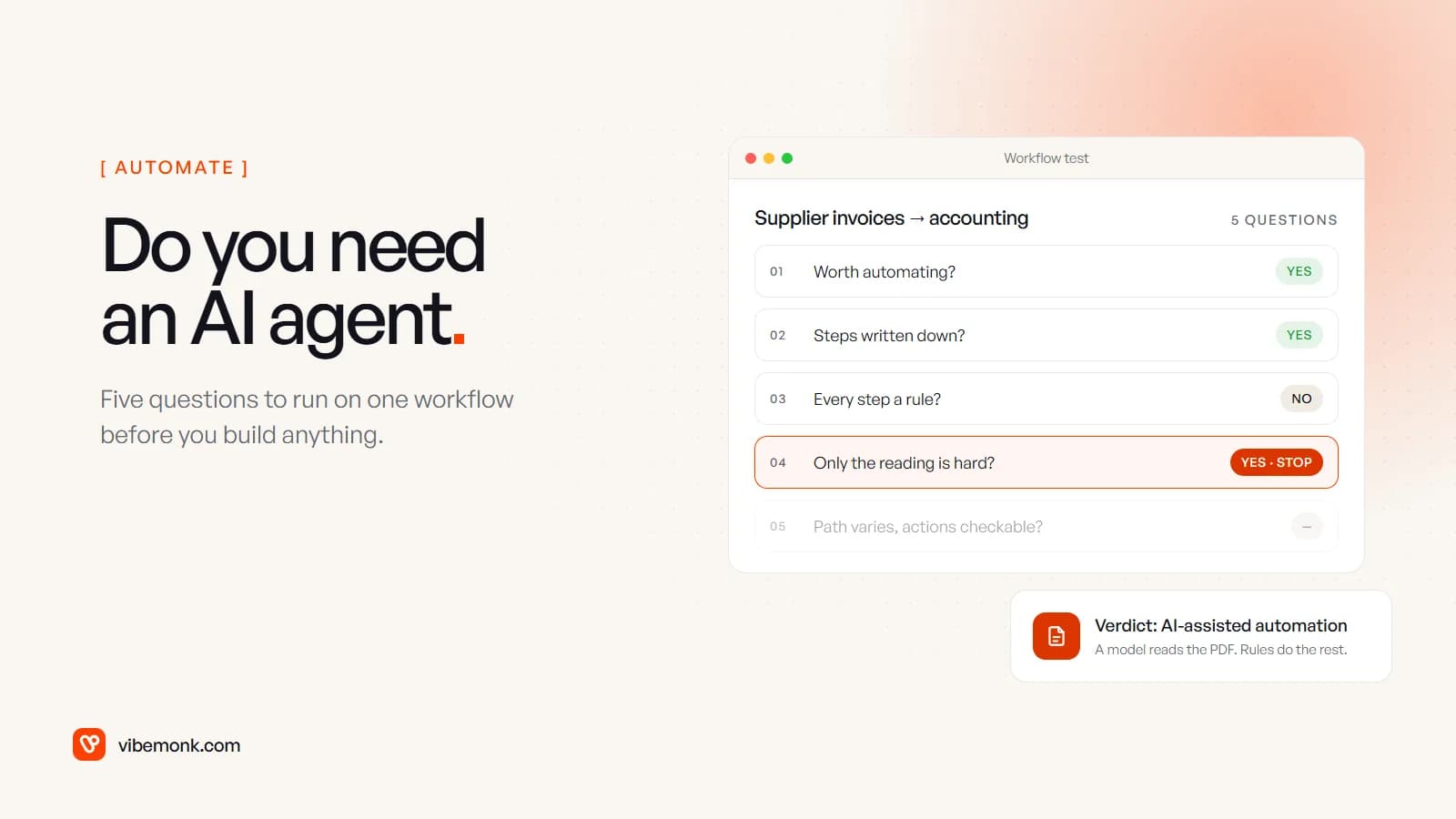
Probably not, at least not for the first workflow you have in mind. If you are asking "do I need an AI agent?", the honest answer for most business processes is one of three cheaper things: plain automation, an automation with one AI step inside it, or nothing yet, because the process needs fixing before anything should run it. You need an agent when the steps change from case to case, the work means acting in your systems, and every risky action can be approved or undone.
This post gives you a five-question test to run on one workflow, the four answers it can produce, what each answer costs to run, and four worked examples.
Four possible answers, not two
The question is usually framed as "agent or no agent". In practice there are four outcomes, and the cheapest one that does the job is the right one.
| Answer | What it is | Who decides the next step | Best for |
|---|---|---|---|
| Nothing yet | Leave it manual, or fix the process first | A person | Rare, low-value or undefined work |
| Plain automation | Triggers, rules and API calls | Rules you wrote | Clean inputs, fixed steps |
| AI-assisted automation | A fixed workflow with a model doing one or two steps | Rules you wrote; the model only reads or drafts | Messy inputs (emails, PDFs), fixed steps |
| AI agent | A model calling your tools in a loop, within limits | The model, at run time | Steps that vary case by case |
The two companies that make the most widely used models both tell you to start at the top of that table. Anthropic's engineering team recommends "finding the simplest solution possible, and only increasing complexity when needed", and reserves agents for "open-ended problems where it's difficult or impossible to predict the required number of steps, and where you can't hardcode a fixed path" (Building effective agents). OpenAI's practical guide to building agents lists three signs a workflow suits an agent (complex decision-making, rules that have become difficult to maintain, heavy reliance on unstructured data) and adds: "Before committing to building an agent, validate that your use case can meet these criteria clearly. Otherwise, a deterministic solution may suffice."
If you want the mechanics behind the bottom row first, what an AI agent is and how it works covers the loop, the tools and the approval points.
Do I need an AI agent? Run this test on one workflow
Pick one workflow, not "our operations". The test only works on something specific, like "supplier invoices into the accounting system" or "quote requests from the website". Then answer five questions in order. Stop at the first one that gives you an answer.
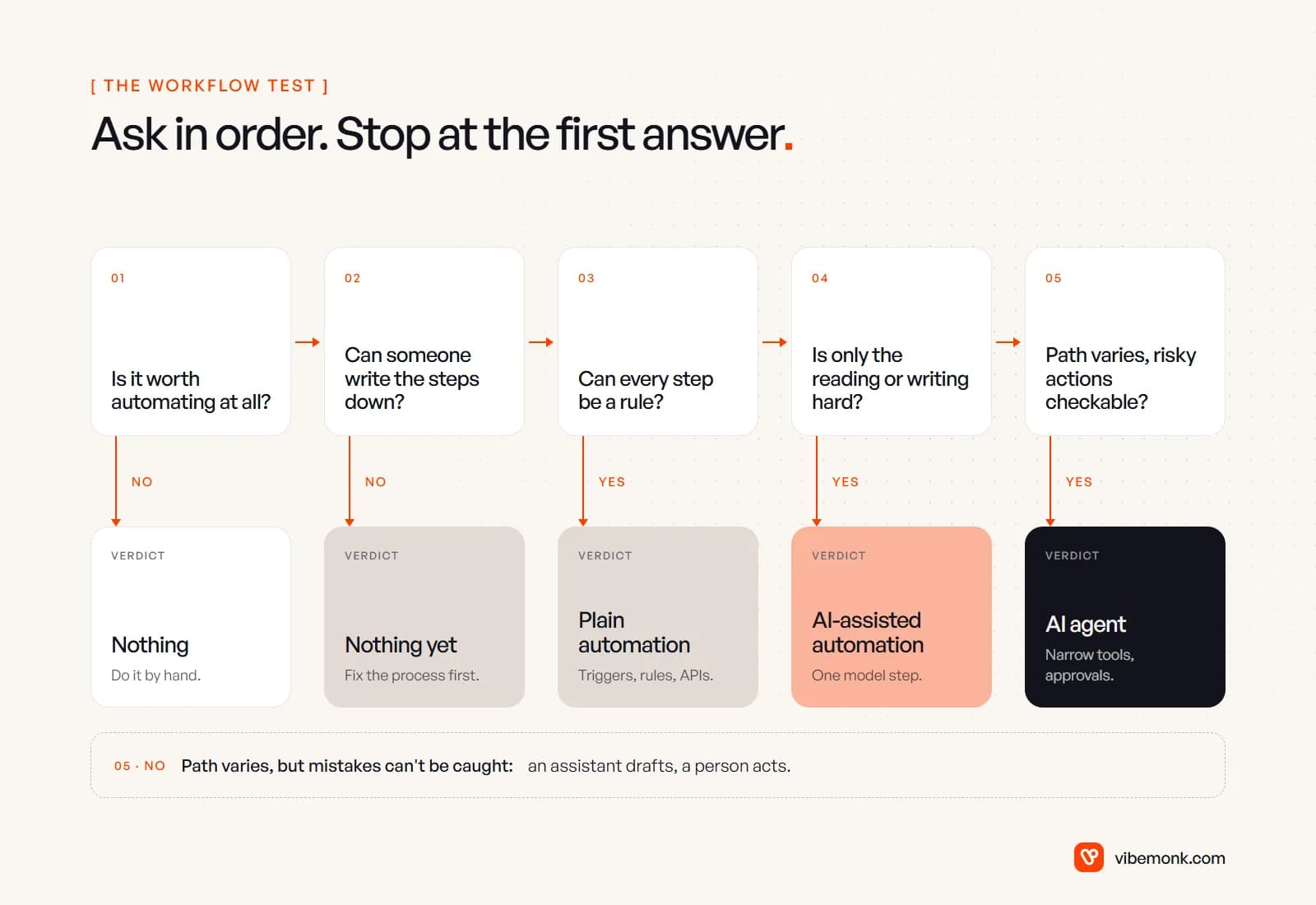
1. Is the work worth automating at all? Multiply how often it happens by how long it takes, then add what a mistake costs. Say a task takes six minutes and runs 40 times a month: that is four hours a month. That can be worth a small automation. A task that happens twice a quarter is usually not worth any build, however tedious it feels. If the answer is no, the verdict is nothing. Do it by hand, or have someone use a chat assistant while they do it.
2. Can someone write the steps down today? Sit with the person who does the work and write it as a numbered list. If nobody can, because every person does it differently or the rules live in one manager's head, the verdict is nothing yet. Automating an undefined process gives you the same confusion, faster. Agree how it should work first.
3. Can every step be written as a rule? "When a deal is marked Won, create the project, invite the client, send the welcome email." No step needs judgement or reading. The verdict is plain automation: cheaper to run, predictable, and you can test every path.
4. Is the hard part reading or writing text, while the order of steps stays the same? An email has to be understood, fields pulled from a PDF, a reply drafted, but what happens next follows fixed rules. The verdict is AI-assisted automation: keep the workflow, add a model for that one step, and check its output with code before anything is written to your systems. If a product sold to you as an agent always takes the same steps, this is what it is. Our guide to AI workflow automation shows where that AI step sits in a real pipeline.
5. Does the path change from case to case, and can every risky action be approved or undone? If what the system should do next depends on what it finds halfway through (look up the customer, then check stock, then decide whether a partial delivery is acceptable), and the actions that cost money or reach customers can wait for a person or be reversed, the verdict is an AI agent, with narrow tools and approval on anything it cannot take back.
If the path varies but mistakes cannot be caught, do not build the agent yet. Give the person doing the work an assistant that drafts and looks things up, and let them act. Move to an agent once the risky actions have a check in front of them.
Four workflows run through the test
These are illustrations of how the test plays out, not results from any particular client.
| Workflow | Worth it? | Steps written? | All rules? | Only reading is hard? | Path varies, actions checkable? | Verdict |
|---|---|---|---|---|---|---|
| Monthly commentary for the board pack | No, it runs once a month | — | — | — | — | Nothing. Write it, perhaps with a chat assistant |
| Weekly pipeline report from the CRM to Slack | Yes | Yes | Yes | — | — | Plain automation |
| Supplier invoices (PDFs) into accounting | Yes | Yes | No, the PDFs need reading | Yes, then fixed matching rules | — | AI-assisted automation, with mismatches sent to a person |
| Custom quote requests from trade customers | Yes | Yes | No | No, the steps depend on the customer, stock and lead times | Yes, if the quote is approved before it is sent | AI agent, drafting quotes for approval |
Two things stand out. Only one of the four needs an agent. And the agent's verdict depends on a design choice, not on the workflow alone: the same quote process with no approval step would get "not yet".
The same split shows up inside single products. uContents, a social publishing platform we built, has both a visual workflow builder (triggers, conditions, branches, actions and delays) and a studio agent with tools and a memory per brand that asks for approval before anything that costs credits or changes data. The fixed jobs run as workflows; the open-ended ones go to the agent.
For more examples of where agents do fit, see the 15 real business tasks AI agents can do. For the opposite list, processes that a plain or AI-assisted workflow handles well, see 25 AI automation ideas.
What each answer costs to run
The model bill is the cost people ask about first, and it is usually not the one that decides. Here is a worked example using Anthropic's published API prices for Claude Sonnet 5.5: $2 per million input tokens and $10 per million output tokens. The token counts are assumptions for illustration; yours will differ.
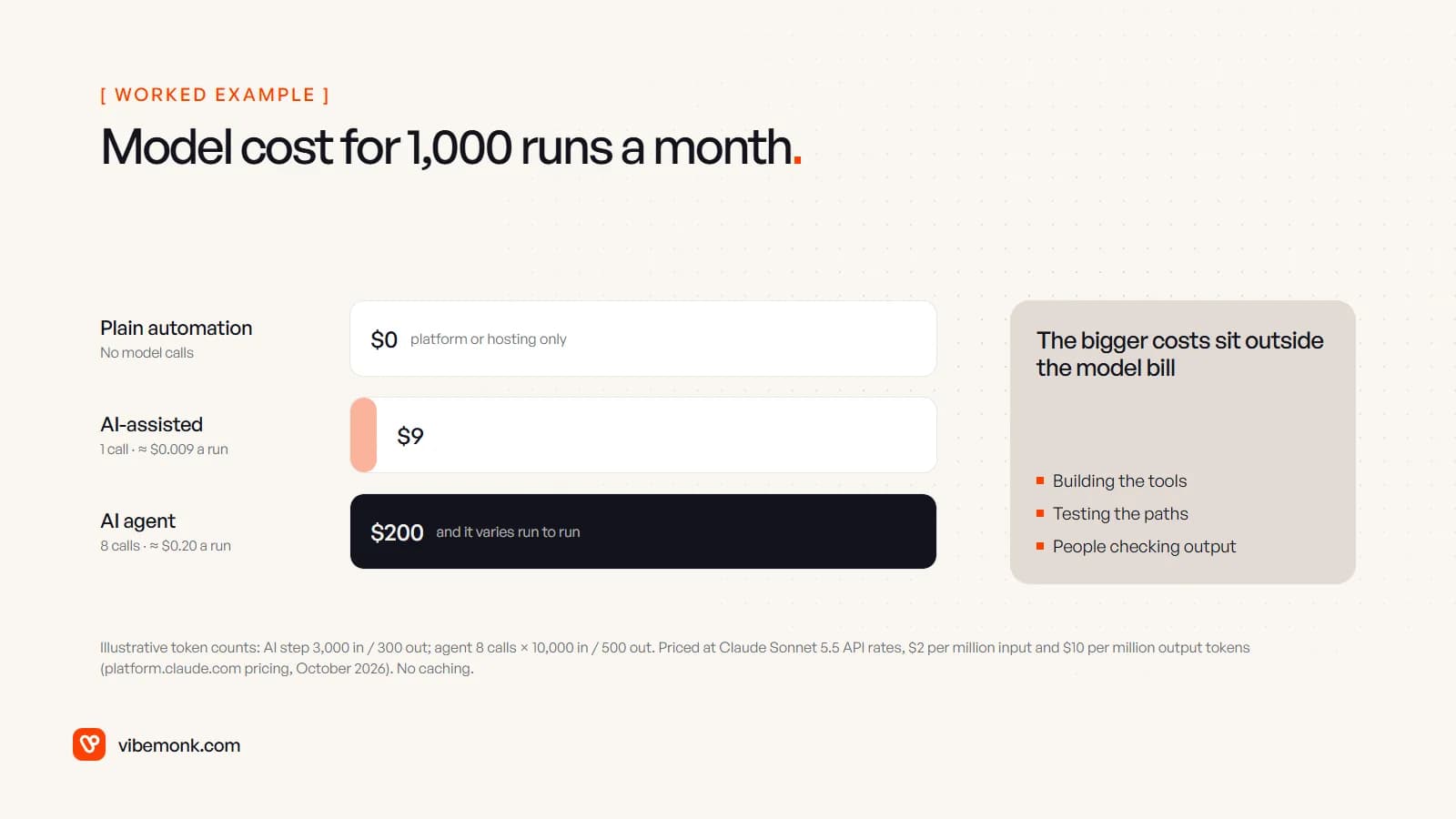
- Plain automation: no model calls. You pay for the automation platform or hosting.
- AI-assisted automation: one model call per run. Say 3,000 input tokens (the email plus instructions) and 300 output tokens. That is 3,000 × $2 ÷ 1,000,000 = $0.006, plus 300 × $10 ÷ 1,000,000 = $0.003, so about $0.009 a run, or $9 for 1,000 runs.
- AI agent: the model is called once per step, and each call re-reads the growing context. Say eight calls averaging 10,000 input tokens and 500 output tokens each: 80,000 × $2 ÷ 1,000,000 = $0.16, plus 4,000 × $10 ÷ 1,000,000 = $0.04, so about $0.20 a run, or $200 for 1,000 runs. Prompt caching, which the same page prices at a fraction of normal input, brings this down.
Twenty-odd times more per run is a real difference, and worth checking against your own volumes. But at these numbers the model bill is rarely the biggest line. The money that separates the four answers sits elsewhere:
- Building the tools. Every action an agent can take is a tool someone has to write, with permissions on what it may touch. That is integration work, and it is most of the build.
- Testing. A fixed workflow can be tested path by path. An agent can take paths nobody wrote down, so it needs test scenarios and run logs. Anthropic puts the trade-off plainly: agentic systems "often trade latency and cost for better task performance".
- Checking. An approval queue is somebody's job. If a person reviews every agent output for months, count their time.
- Variance. A workflow costs about the same every run. An agent's cost moves with the number of steps it takes, so it needs a cap on steps and spend.
For a sense of build cost on our side, our starting prices put a single automated workflow from $299 and an AI workflow across several systems from $699; an agent is scoped per project, because its tools and approvals depend on your systems.
Signs you are being sold an agent you do not need
When a vendor or an internal enthusiast proposes an agent, run their demo through the same test. These are the warning signs:
- The demo takes the same steps every time. If the path never changes, it is a workflow with a model in it. That may be exactly what you need, but it should be priced and tested as one.
- Nobody can tell you what it is allowed to change. An agent is defined by its tools. Ask for the list: which systems it reads, which it writes to, and which actions wait for approval.
- There is no run log. If you cannot see each tool call, its input and its result, you cannot debug it, audit it or improve it.
- "It learns on its own." The model does not retrain itself on your work. An agent improves when someone changes its instructions, tools or reference data, usually after reading those logs.
- There is no plan for when it is unsure. A good design sends unclear cases to a person. A design that "handles everything" has not been tested on your exceptions yet.
None of these mean the project is wrong. They mean the answer to question 5 has not been earned yet.
Run the test in one meeting
The test fits in an hour with the person who does the work, and the output is most of a specification for whatever you build.
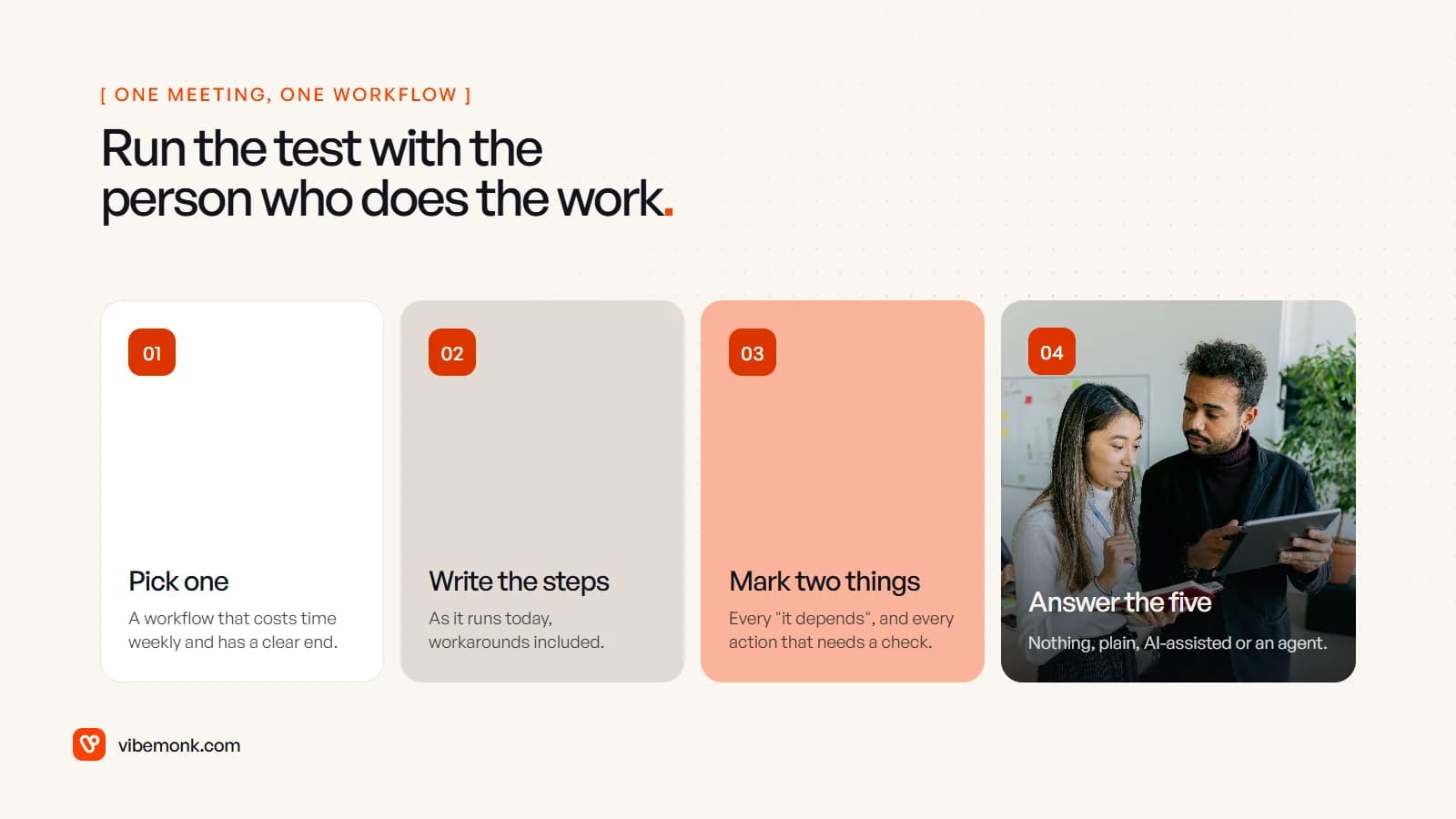
- Pick one workflow that costs real time each week and has a clear finished state.
- Write it as numbered steps, as it actually runs today, including the workarounds.
- Mark two things: every step where you wrote "it depends", and every action you would not want taken without a check (sending to a customer, moving money, deleting).
- Answer the five questions. No "it depends" steps means plain automation. "It depends" only where something has to be read means AI-assisted. "It depends" scattered through the path, with the risky actions marked for approval, means an agent may be worth it.
Write down how often it runs and how long it takes now. You will need those numbers later to tell whether whatever you built is working.
Where to go from your answer
If the answer is nothing yet, the next step is not software. Agree how the process should run, and if that is hard because it crosses teams or systems, that is what a discovery and scoping phase is for: mapping the process as it really runs and separating what should be automated from what should be built and what should simply stop.
If the answer is plain or AI-assisted automation, build that, and do not let anyone talk you up to an agent. It will be cheaper to run and easier to trust.
If the answer is an agent, start narrow: one workflow, read-only tools first, approval on every action that reaches money or customers, and a log of every run. Our AI agents and automation page shows how we build both kinds, and if no off-the-shelf tool fits how your business works, we build the software around your process.