Writing12 min readFahim
AI Integrations: Connecting Agents to CRM, Slack and Email
How AI integrations work: webhooks, REST APIs, OAuth, MCP, databases and schedules, with a worked CRM-to-Slack approval flow, rate limits and retries.
- Build
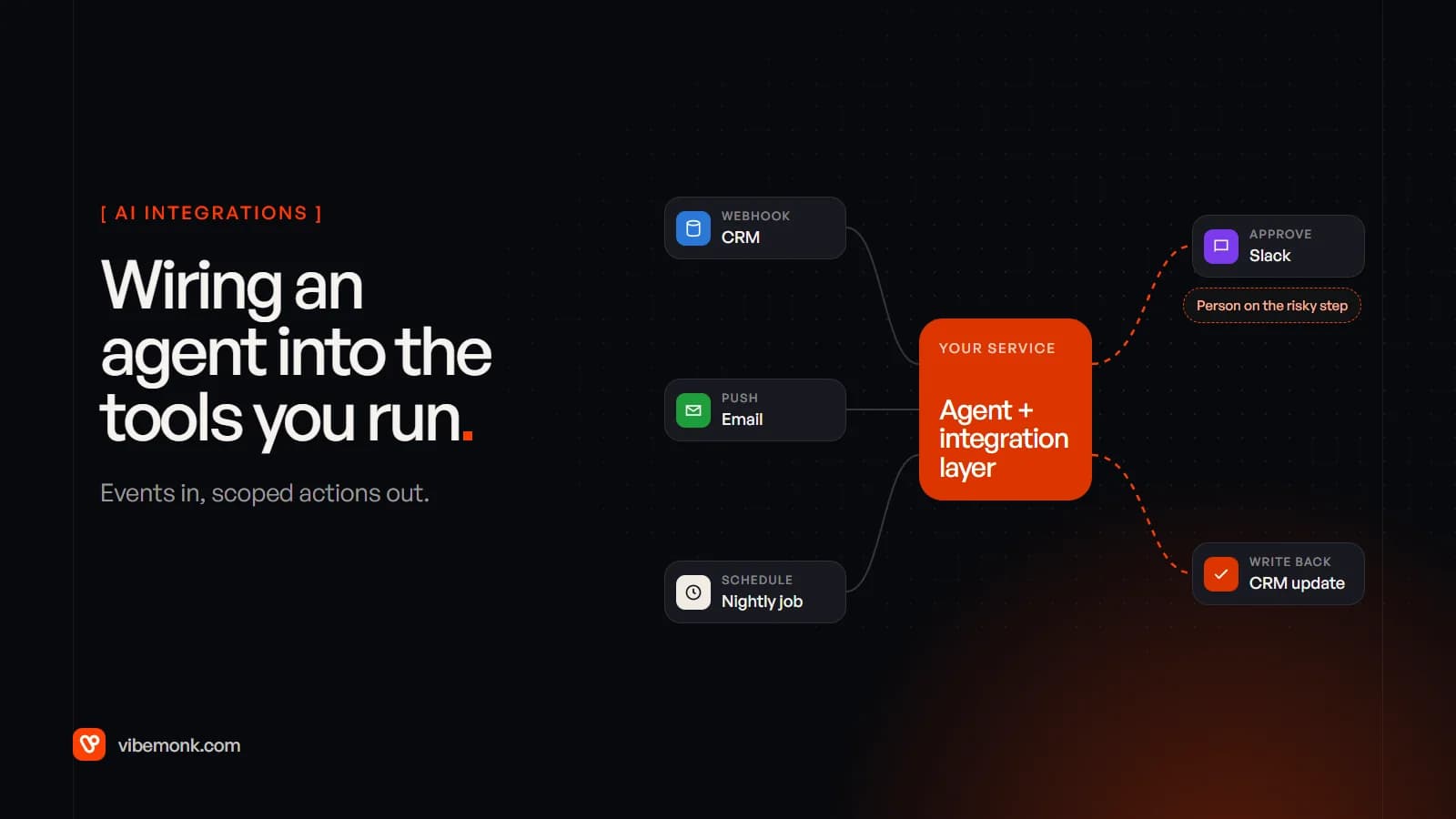
AI integrations are the plumbing that lets a model read from and act in the systems you already run: your CRM, Slack, the shared inbox, a database. Every one of them answers three questions. What starts the agent (a webhook, an event on a queue, a schedule)? What can it reach (a REST API, an MCP server, a database view)? And who is it acting as (an OAuth token or service account with specific scopes)? The model is the small part. Most of the engineering sits around it: verifying requests, staying under rate limits, retrying without doing things twice, logging, and keeping a person on the steps that matter. This post walks through the seven patterns, then one complete flow from a CRM event to an approved update.
What AI integrations actually involve
An agent on its own can only produce text. It becomes useful when that text turns into calls: fetch this deal, post this message, update this field. The integration is everything between the model's output and the business system's API, and it is ordinary software. That is good news. It means the hard parts are known problems with known answers, not research.
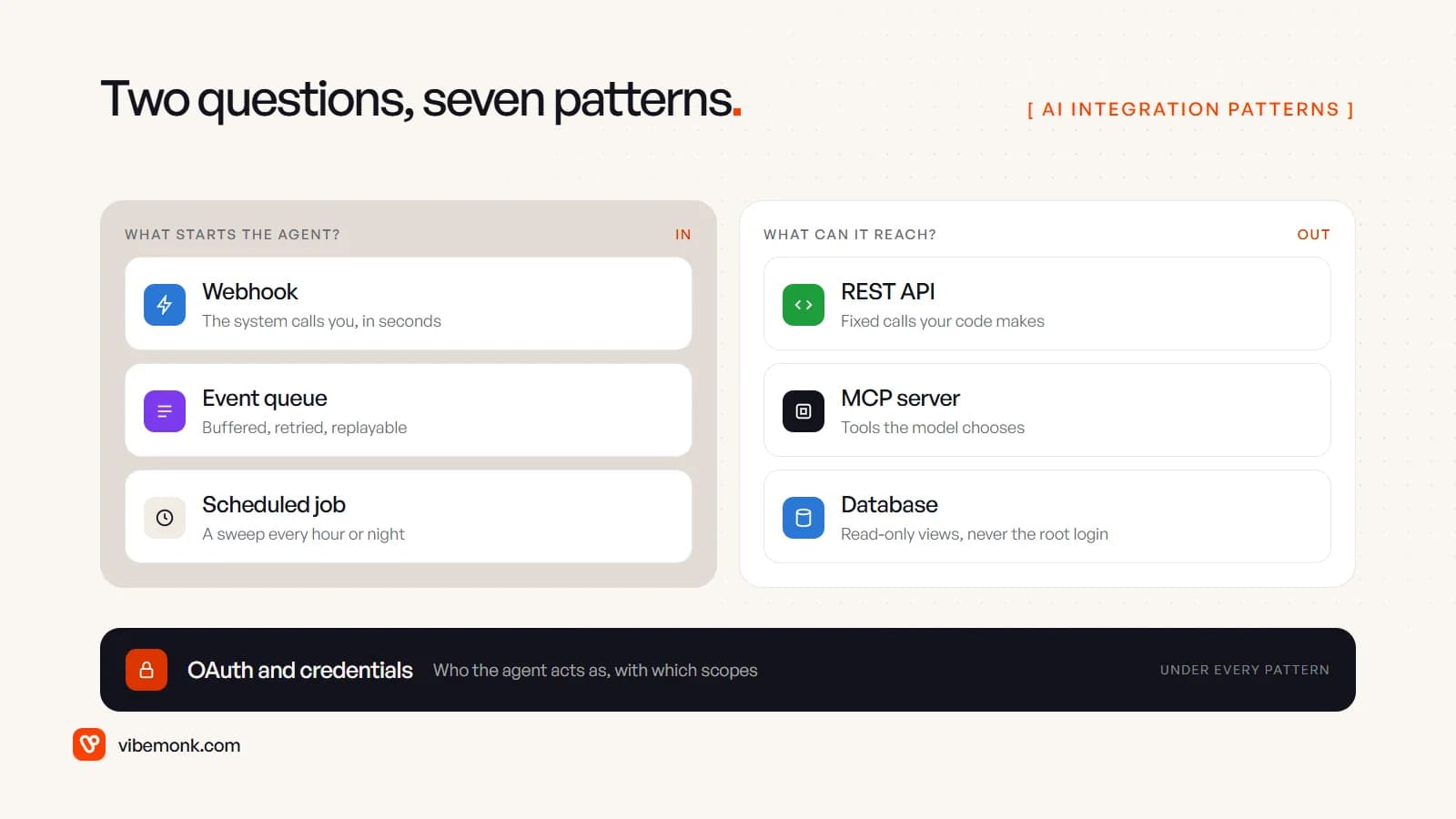
Split the work along those two questions and most design decisions fall out on their own. Triggers decide how fast the agent reacts and what happens when it is down. Tools decide what it can change. Credentials, underneath both, decide how much damage a mistake can do. If you want the wider picture of where these pieces sit inside an agent, AI agent architecture covers the model, memory and orchestration side.
Seven AI integration patterns and when each fits
Between them, these seven cover nearly every integration we would draw for a business system.
| Pattern | What it is | Use it when | Watch for |
|---|---|---|---|
| REST API | Your code calls the system's HTTP endpoints | The steps are known: fetch a deal, update a field | Rate limits, pagination, versioned endpoints |
| Webhook | The system calls your URL when something changes | You need to react within seconds | Duplicates, retries, forged requests |
| OAuth | A standard way to get a scoped token on a user's or workspace's behalf | The agent acts inside someone else's account | Over-broad scopes, token storage, expiry |
| MCP | A protocol that exposes tools the model chooses at run time | Open-ended requests, several AI apps sharing one system | More moving parts, harder to test |
| Database connection | Direct reads (rarely writes) against your own data | Reporting, lookups, your own app's data | Never give the agent the admin login |
| Scheduled job | A sweep that runs every hour or night | Batches: stale deals, daily digests, clean-ups | Overlapping runs, partial failures |
| Event-driven | Events land on a queue; workers process them | Volume, spikes, anything you cannot afford to lose | Ordering, replay, poison messages |
A few notes from the engineering side.
REST is still the default. Even an MCP server usually calls the same REST API underneath. If you can write the steps down before the agent runs, call the API directly from your code and let the model decide only what it has to.
Webhooks are push, and push needs a front door. The CRM calls you, so your endpoint must prove the call is real, answer fast and cope with the same event arriving twice. More on that in the worked example.
OAuth is about who, not how. It is how a Slack workspace or a Google account grants your app a token limited to specific scopes. The framework is defined in RFC 6749; in practice you use each vendor's flow and store the tokens properly.
MCP earns its place when the model picks the steps. If several assistants and agents need the same CRM, one MCP server gives them one governed doorway. For a fixed workflow it is an extra layer. We go through that trade-off in MCP explained, and through examples of what a server exposes in what is an MCP server.
Databases: give the agent a view, not a login. A read-only role over a few views is a safe tool. Write access to production tables is not.
Schedules and events are the two ways to start work without a person. Use a schedule when the job is "look at everything that changed today". Use events when it is "react to this one change now". Many good systems use both: webhooks for speed, a nightly sweep to catch anything the webhooks missed.
A worked example: CRM event to approved update
Here is a common flow, built end to end: a CRM event triggers an agent, the agent analyses the deal, it asks for approval in Slack, and only then does it update the CRM. Take a concrete case. A deal moves to "Proposal" in HubSpot. The agent reads the deal and the recent emails, proposes a close date, an amount and a next step, and asks the owner to confirm.
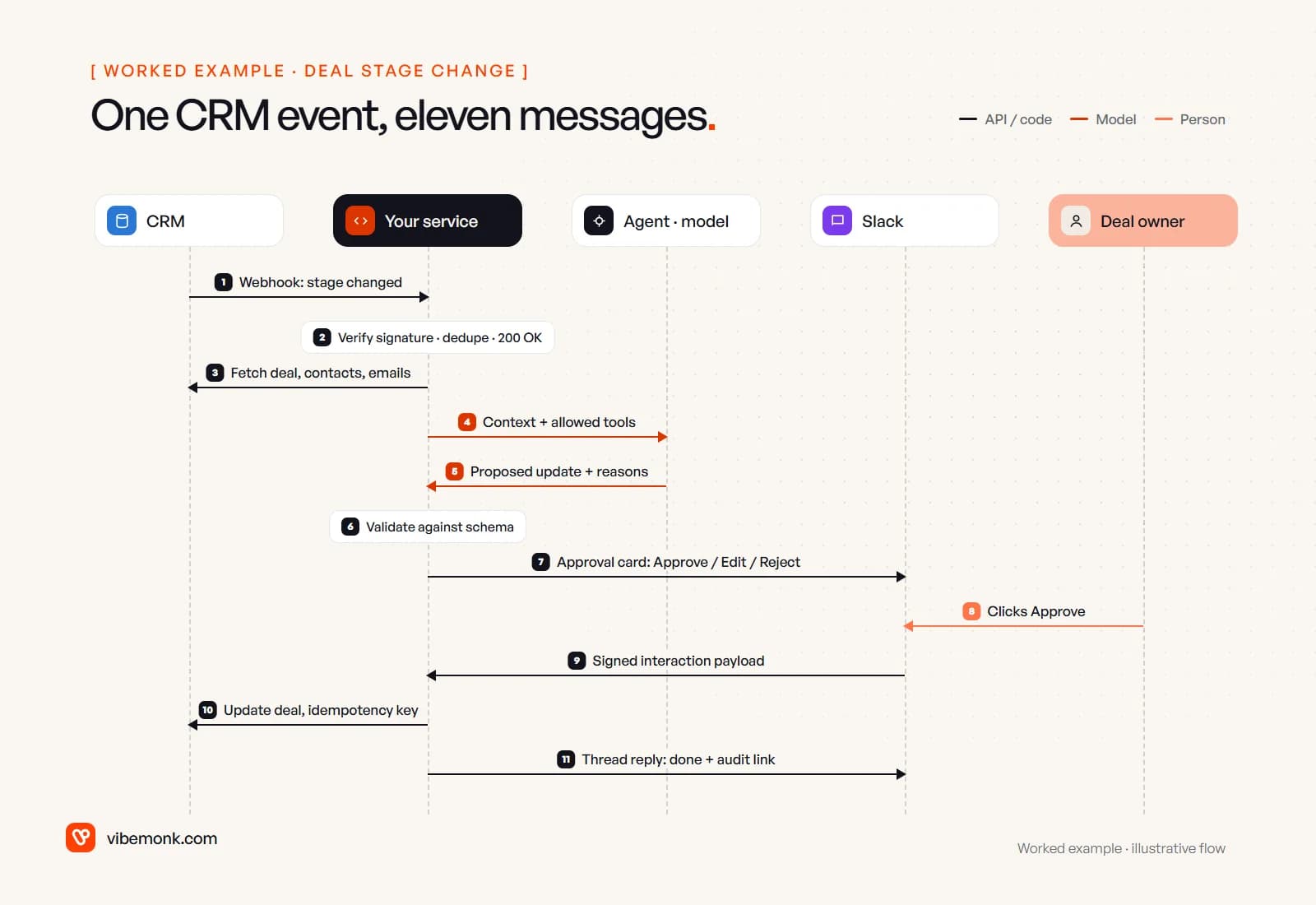
Step by step, with what each one has to get right:
- The CRM sends a webhook. A HubSpot workflow or app subscription posts the event to your endpoint.
- Your service verifies, deduplicates and acknowledges. HubSpot signs requests: the
X-HubSpot-Signature-v3header is an HMAC-SHA256 of the method, URL, body and timestamp, and HubSpot's docs say to reject the request if the timestamp is older than five minutes. Then check whether you have already seen this event, put it on a queue and return 200 straight away. The agent does not run inside the webhook request. - A worker fetches context. The deal, its contacts and the last few emails, through the CRM's REST API. This is plain code; the model does not choose these calls.
- The model gets the context and nothing else. No API keys, no other customers' records. If it is allowed tools, they are read-only.
- The model returns a proposal in a fixed shape. Not prose, a record your code can check:
{
  "deal_id": "18237465",
  "changes": [
    { "field": "closedate", "from": "2026-11-30", "to": "2026-12-15",
      "evidence": "Email 3 Oct: 'legal review pushes us into mid-December'" },
    { "field": "amount", "from": 24000, "to": 19500,
      "evidence": "Call notes: 'starting with 13 seats, not 16'" }
  ],
  "next_step": "Send revised proposal for 13 seats"
}
- Your code validates it. The fields exist, the date is a date, the amount is within a sane range, the deal ID matches the event. Anything that fails goes to a review list, not to Slack.
- The service posts an approval card to Slack. Current value, proposed value and the evidence line for each change, with Approve, Edit and Reject buttons, posted in the deal owner's channel or as a direct message.
- The owner clicks Approve.
- Slack sends a signed interaction payload. Slack signs it with your app's signing secret, and its docs say to check the timestamp is within five minutes. Your app has to acknowledge within three seconds or the user sees an error, so again: acknowledge first, work after.
- The service writes the approved changes to the CRM. Only the rows the owner approved, using a key derived from the approval so a retry cannot apply it twice.
- It confirms in the Slack thread with a link to the log entry: who approved, what changed, when.
Count the steps that involve a model: two, out of eleven. That ratio is normal. It is also why a "simple" AI integration takes real engineering time. The approval card itself deserves design care, because a reviewer who has to open three tabs to check a change stops checking. We cover that in designing the approval step, and the CRM side of this flow in AI CRM.
Authentication and permissions: who the agent acts as
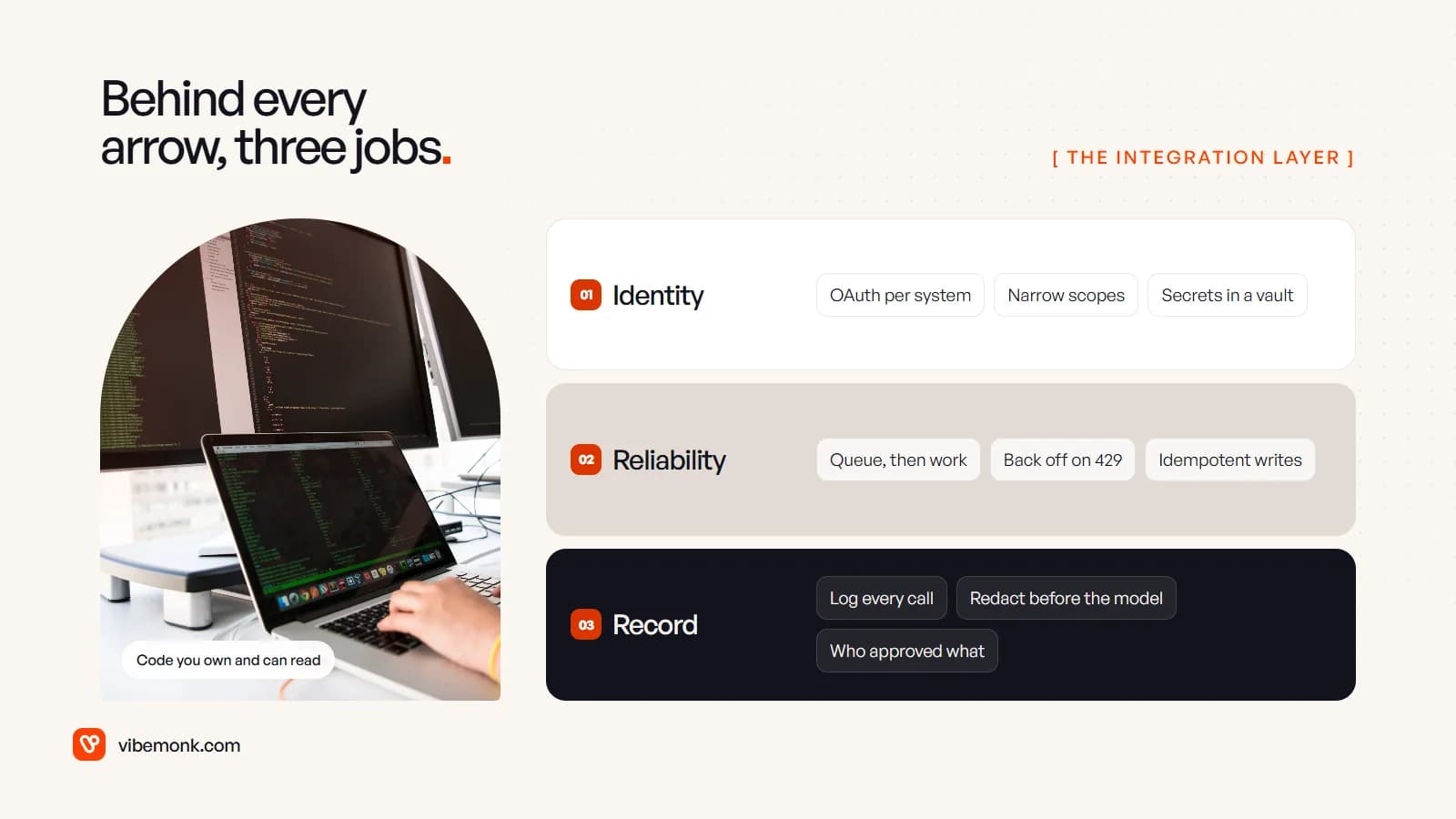
Every call the agent makes runs as some identity. Decide that identity deliberately, per system, before writing any code. This is how we approach it.
One identity per system, with the narrowest scopes that work. In the example, the Slack app needs to post messages and receive button clicks. It does not need to read every channel. The CRM integration needs to read deals and contacts and write a handful of deal fields. Asking for more "in case we need it later" is how a small bug becomes a large incident.
Know which scopes trigger extra review. Google classifies its Gmail scopes by risk. Sending mail (gmail.send) is a sensitive scope; reading or modifying a mailbox (gmail.readonly, gmail.modify) is restricted, and Google says that if you store or transmit restricted-scope data on servers you must go through a security assessment. That is a real cost and timeline item for any agent that reads email, so find out early.
Keep tokens out of the model's reach. The model should never see an API key or OAuth token. Your service holds the credentials and makes the calls. The MCP security guidance makes the same point for MCP servers: no token passthrough, the server holds its own credentials for the downstream system.
Split actions by what a mistake costs. OWASP lists "excessive agency" as a top risk for LLM applications and traces it to three causes: excessive functionality, excessive permissions and excessive autonomy. The integration layer is where you fix all three. Give the agent fewer tools, scope each one tightly, and put approval in front of anything that reaches a customer, moves money or deletes data. Internal notes can be written directly and logged. A change to a forecast waits for a click.
Rate limits, retries and idempotency
Integrations fail in boring ways, and an agent makes more calls than a person does, so it hits the boring failures sooner.
Know the limits of each system you touch. They are published, and they differ a lot:
- HubSpot: a publicly distributed OAuth app is limited to 110 requests every 10 seconds per installing account. Privately distributed apps get 100 to 190 per 10 seconds depending on the subscription, plus a daily cap from 250,000 to 1,000,000 requests per account. Over the limit, you get a
429. - Slack: methods sit in rate-limit tiers, and posting is limited to roughly one message per second per channel. A
429comes with aRetry-Afterheader saying how many seconds to wait. - Gmail push: each watched mailbox gets at most one notification per second, and the service drops anything above that. The watch also has to be renewed at least every seven days or the notifications stop.
That last one is a good example of why a nightly sweep is worth having next to the push notifications: if a watch lapses, the sweep notices.
Retry with backoff, and respect Retry-After. When a call fails with a 429 or a 5xx, wait and try again, waiting longer each time, with a little randomness so a batch of failed jobs does not retry in lockstep. Stop after a fixed number of attempts and send the job to a dead-letter list a person can look at. Do not retry a 400: the request is wrong and will stay wrong.
Expect every event more than once. Senders retry too. Slack's Events API wants a 2xx within three seconds, and if it does not get one it retries up to three times: almost immediately, after one minute and after five minutes, with an x-slack-retry-num header on each attempt. A slow handler therefore causes duplicates by design. Store the event ID, and skip any you have already processed.
Make writes idempotent. A retried write must not create a second task or post a second message. Some APIs support this directly: Stripe's idempotency keys make the server return the saved result of the first request when the same key is sent again. Many APIs do not offer that, so you build it: record "approval 812 applied" in your own database in the same step as the write, and check before writing. For creates, search before you create.
The agent-specific version of this, retrying a tool call the model made, is covered in AI agent tool calling.
Logging and data privacy
When an agent changes a record, someone will eventually ask why. The log is the answer, so design it on day one.
Log every call, with enough to replay it. For each run: the triggering event, the context IDs fetched, the model's proposal, the validation result, who approved, and the exact write sent with the system's response. Store the IDs and the decision, not necessarily full email bodies.
Send the model only what the task needs. The deal fields and three emails, not the whole mailbox. Strip what it does not need, such as bank details, ID numbers, health information, before the prompt is built. This reduces both privacy exposure and prompt-injection surface: an email can contain text written to steer the model, and a model with fewer tools and less data can do less with it.
Know what your model provider keeps. Read the provider's data terms for the API you use. OpenAI, for example, states that API data is not used to train its models unless you opt in and that abuse-monitoring logs are kept for up to 30 days by default, with zero data retention available on approval for eligible endpoints. Other providers have their own terms; check them against what your contracts with customers say about sub-processors.
Keep logs out of chat. Slack is a good place to ask for approval and a bad place to store an audit trail. Post a link to the log entry, not the full context.
Built-in connectors, workflow tools or custom code?
Most CRMs, Slack and the big AI platforms now ship their own AI features and connectors. They are a reasonable first step when the job is exactly what the connector does. Workflow tools such as n8n or Make sit in the middle: quick to wire and easy to change, as long as the flow fits their building blocks. Custom code wins when you need your own approval card, idempotent writes against an API that does not support them, a queue that survives an outage, or one audit trail across several systems.
The test we use is simple: write down what happens when each step fails. If the tool lets you express every one of those answers, use the tool. If you find yourself writing "and then someone notices", that is the part that needs code. Our comparison of AI agents and workflow automation goes further into where the line sits.
Where to start with an AI integration
Pick one event in one system, and one action that a person approves. The flow above is a good first project because it touches the three things every later integration will need: a verified trigger, a scoped write and an approval step.
Before building, write down four things for each system: the identity the integration will use and its scopes, the published rate limit, what happens when the call fails, and which actions need approval. If those four answers are clear, the build is mostly routine. If they are not, no model will make up for it.
If you want help connecting an agent to your CRM, Slack or inbox with that groundwork in place, it is what our API and workflow integration work covers. For the agent and the automation around it, see AI automation.