Writing10 min readRh Razu
No-Code AI Agent Builders: What You Can Build
What a no-code AI agent builder handles well, where it breaks (connectors, rules, metered cost, lock-in), and a two-week test to run before you commit.
- Automate
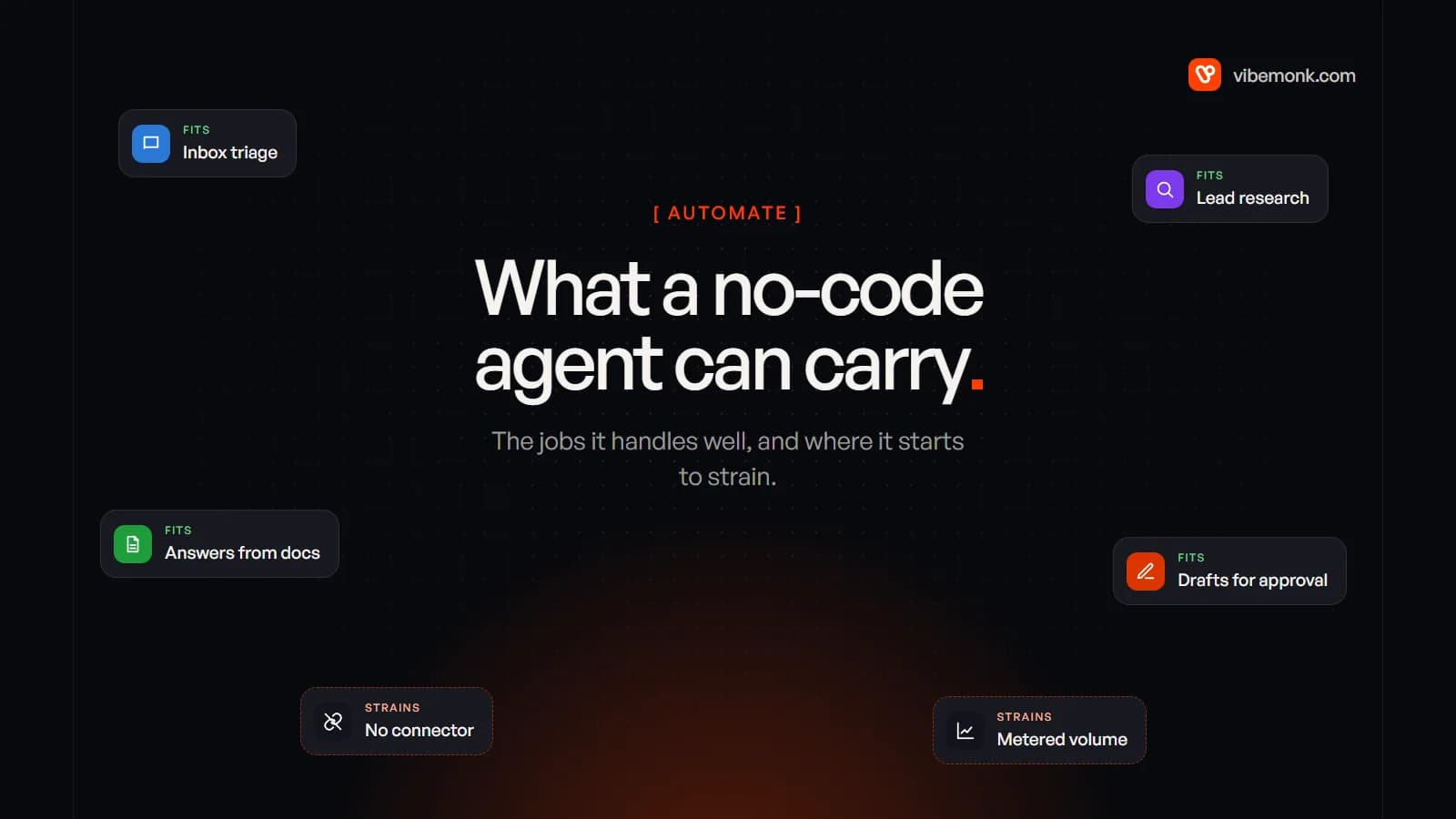
A no-code AI agent builder lets you put a language model on a visual canvas, give it written instructions, and connect it to apps through the platform's ready-made connectors. You can build real things with one: an agent that triages a shared inbox, researches new leads, answers staff questions from your documents, or drafts replies for a person to approve. They work best when every system the agent touches already has a connector, mistakes are cheap or checked, and volume is modest. They break when you need a system with no connector, rules that must never be broken, high volume on a per-step meter, or a version history you can test against. This post covers both sides, and a way to find out which side your job is on before you commit.
What a no-code AI agent builder actually gives you
Underneath the canvas, every builder assembles the same four parts: a trigger (a new email, a form submission, a schedule, a chat message), a model with your instructions, a set of tools the model may call, and somewhere for the result to go. The model reads the input, decides which tool to call, reads the result, and repeats until it is done. That loop is what separates an agent from a fixed workflow. Our post on how to build an AI agent shows the same loop written in code.
What the builder saves you is the plumbing: authentication to common apps, hosting, retries on the platform's side, and a screen where you can watch a run. In n8n, for example, the AI Agent node asks you to "connect a chat model and one or more tools, and the agent decides which tools to call to complete a task."
The main options differ less in what they can do than in what they charge for and where they run:
| Builder | Built around | What you are billed by | Worth knowing |
|---|---|---|---|
| n8n | Workflow canvas with an AI Agent node | Executions: one per run of the whole workflow | Free Community edition you can self-host |
| Zapier Agents | Agents on Zapier's app connectors | Activities: each trigger, knowledge answer, action or search | A run stops at 10 activities on Free, 40 on paid plans, and asks before continuing |
| Make AI Agents | Agents inside Make scenarios | Credits: most module actions cost one, some AI features more | Labelled beta; available on all plans |
| Microsoft Copilot Studio | Agents for Microsoft 365 and Power Platform | Copilot Credits: 5 per agent action, 2 per generative answer | Agents are disabled at 125% of prepaid capacity |
| OpenAI Agent Builder | Visual canvas for OpenAI agent workflows | API usage of the models it runs | Scheduled to shut down on 30 November 2026 |
The last row matters more than it looks, and we come back to it below. For the wider landscape, including platforms that live inside your CRM and developer frameworks, see AI agent platforms: what they do and where they stop.
What you can build with one: the jobs that fit
The jobs that suit a no-code builder have three things in common. Every system involved has a connector. The agent reads and drafts more than it commits. And someone either checks the output or can live with an occasional wrong answer.
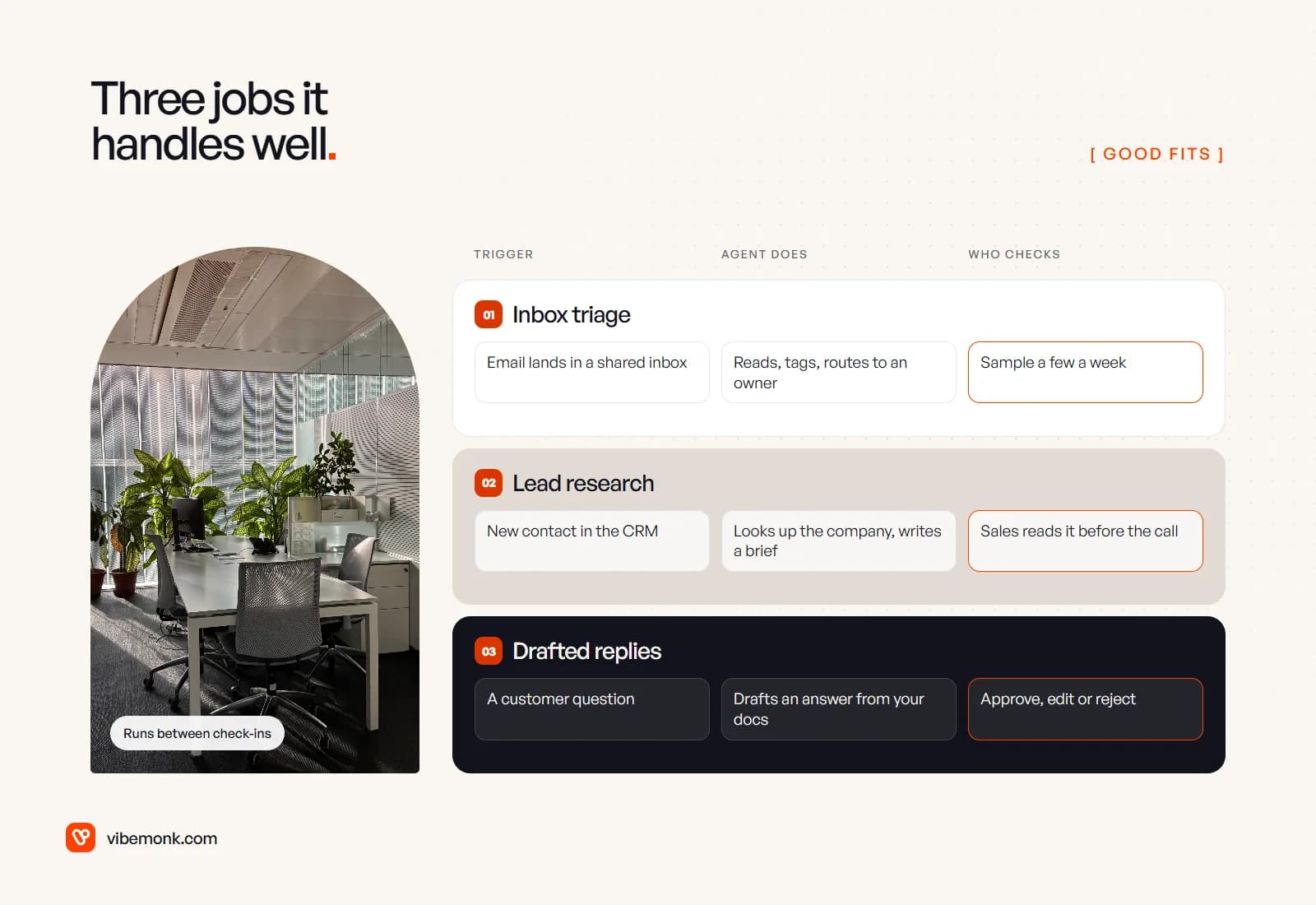
Inbox triage. Email lands in a shared inbox; the agent reads it, tags it by type and urgency, and assigns it to an owner. A wrong tag costs a few minutes of someone's time. Sample a handful a week to see whether the categories still hold.
Lead research. A new contact appears in the CRM; the agent looks up the company, summarises what it does and how it might fit, and writes a short brief onto the record. A salesperson reads it before the call, so a weak brief is caught by the person who uses it. Our post on AI lead qualification covers the scoring side of this job.
Answers from your documents. Staff ask an internal agent about policies, product details or past decisions, and it answers from a knowledge source you have connected. This is the job the builders are most polished for. The risk is stale documents, not the builder.
Drafted replies for approval. The agent drafts a reply to a customer from your docs and the ticket history, and a person approves, edits or rejects it. n8n has human review for tool calls built in, with approval requests going to Slack, Teams, Gmail, Telegram and others. Zapier's per-run activity cap works as a cruder brake: the agent asks permission before it carries on past the limit. How to design that approval step well is its own subject; human-in-the-loop AI covers it.
Notice what these have in common: the agent's job is to read messy input and produce a judgement or a draft. That is the part a model is good at, and the part a fixed workflow is bad at. If your process follows the same path every time, you probably do not need an agent at all. AI agents vs workflow automation works through that choice, and Anthropic's own advice in Building effective agents is to find "the simplest solution possible, and only increasing complexity when needed."
Where no-code agent builders break
They rarely break on the first day. They break at the sixth workaround, the first busy month, or the first time someone asks why the agent did something. These are the six places to look.
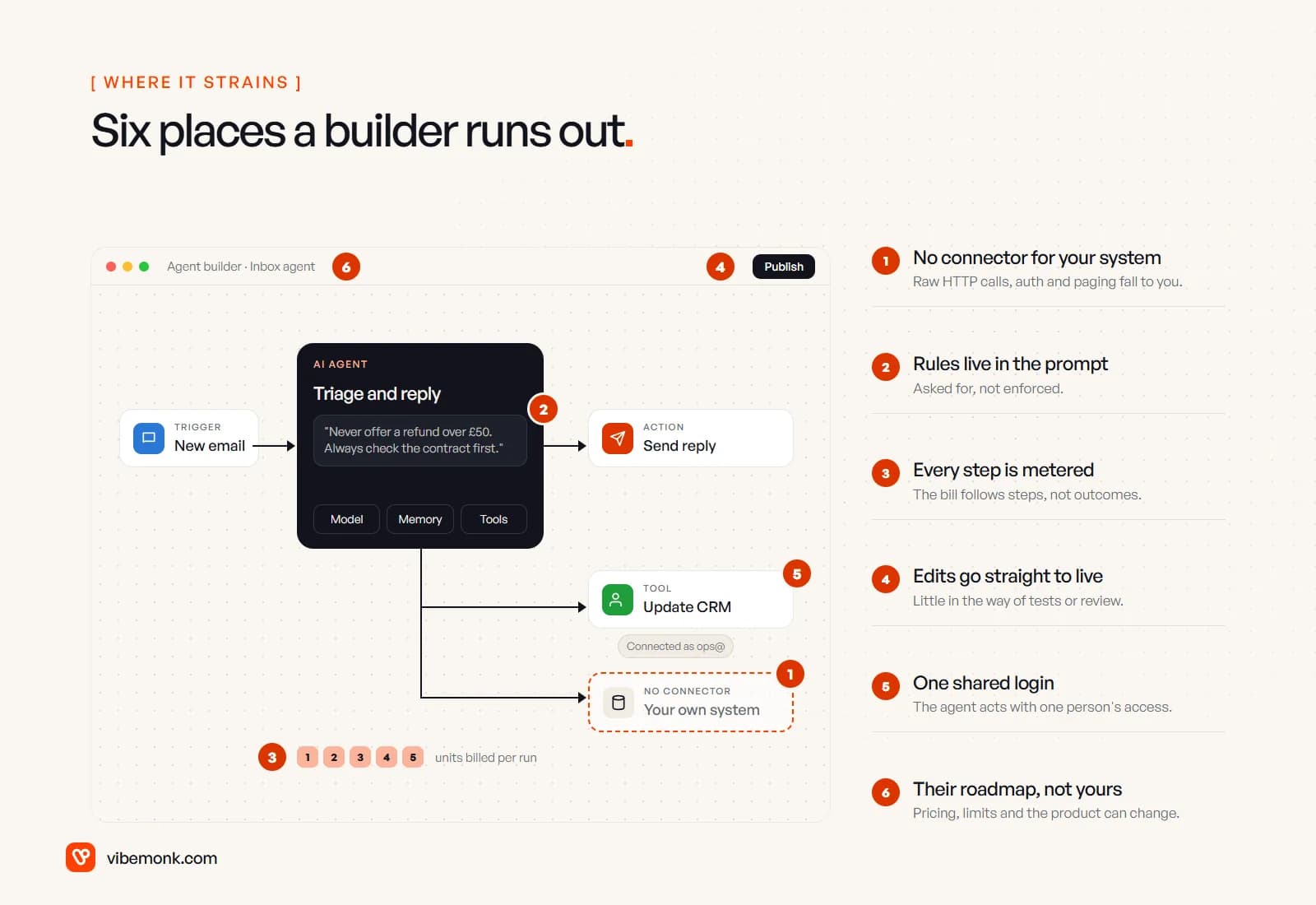
- A system with no connector. Your industry software, an internal database or a supplier's API often has no ready-made connector. Every builder lets you make a raw HTTP request, but then authentication, pagination, rate limits and error handling are yours to configure, in a form field rather than in code you can test. One such call is fine. When half the agent's tools are raw HTTP requests, you are writing an integration without the tools to maintain it. Our post on AI integrations covers what that layer needs.
- Rules that live only in the prompt. "Never offer a refund over £50" written into the instructions is a request to the model, not a rule. The model usually follows it, and occasionally does not. A rule that must hold has to be enforced outside the model: a filter step, a code node, or a tool that refuses the action. Builders allow this, but each enforced rule is another node, and the canvas gets hard to read quickly.
- A meter on every step. On Zapier and Copilot Studio, cost follows the number of steps an agent takes, and an agent decides its own number of steps. A confused run costs more than a clean one. The next section works through a number.
- Edits that go straight to live. Most builders let you change the instructions and publish. Few make it easy to keep a set of past cases and re-run them before every change, which is the only reliable way to know a prompt tweak fixed one thing without breaking three others. OpenAI's Agent Builder had versioned snapshots and trace graders; most canvases offer less.
- One shared login. A connector is usually authorised once, by one person. The agent then acts with that person's access in that app, for every user and every run. If the agent should see only one customer's records, or act on behalf of whoever asked, the connector model fights you.
- Someone else's roadmap. Pricing units, plan limits and the product itself belong to the vendor. On 3 June 2026 OpenAI announced the deprecation of Agent Builder, its own visual agent canvas, with shutdown scheduled for 30 November 2026. Its migration guide offers an export to Agents SDK code, but warns that it "does not convert your workflow graph or guarantee that every behavior transfers unchanged", and that "workflows with strong determinism at their core may not migrate faithfully" to the suggested ChatGPT workspace agents. That is a well-resourced vendor with an export path. Ask what yours offers.
None of these is a reason to avoid builders. Each is a question to answer before the agent becomes something your business depends on.
What the meter does to cost at volume
Each builder counts a different thing, so the same agent produces very different numbers on each bill. Here is one worked example: an email agent that runs 1,000 times a month. Each run has a trigger, one knowledge lookup and three actions (find the sender in the CRM, tag and route the email, draft a reply).
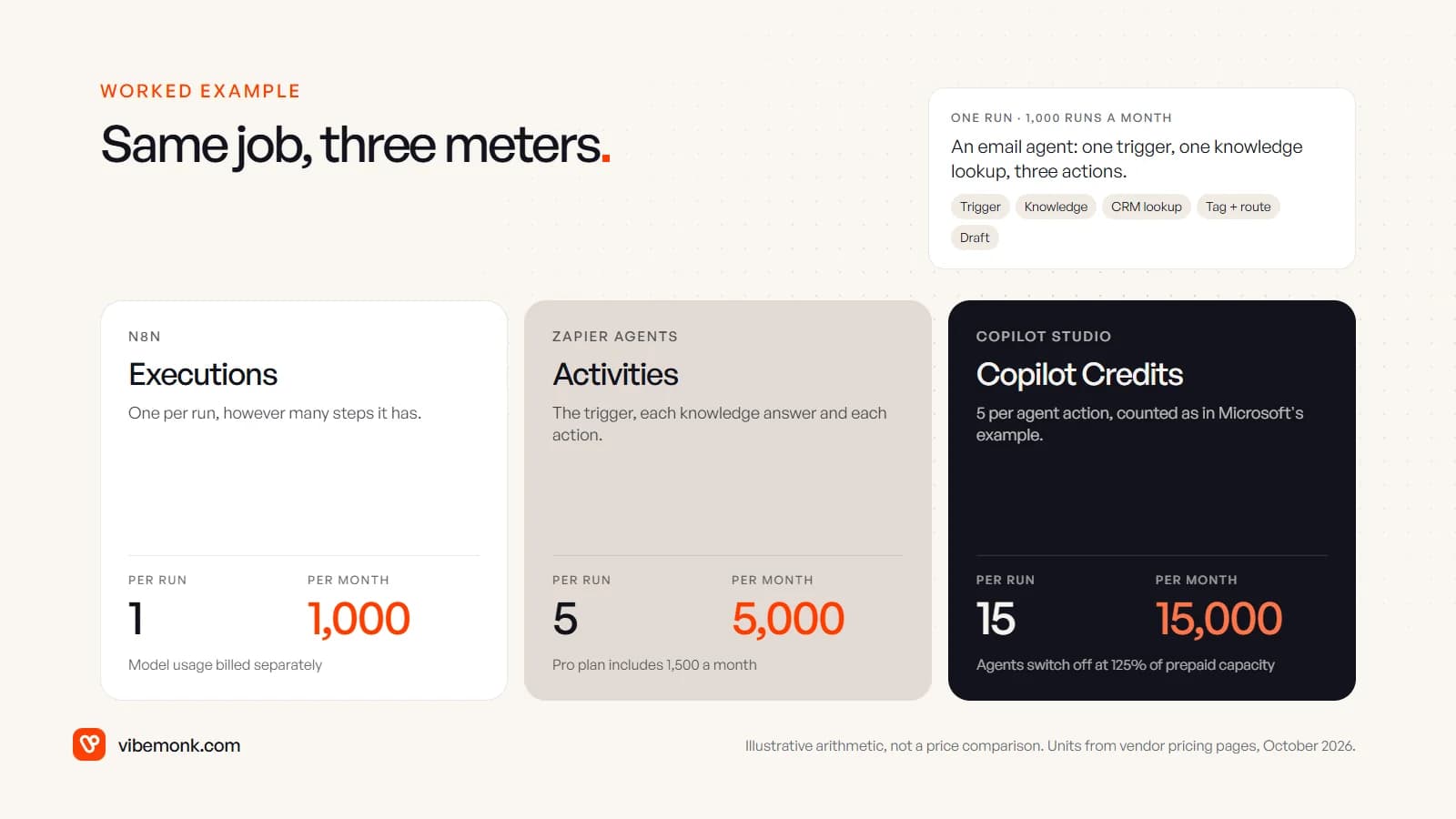
- n8n counts an execution as "a single run of your entire workflow", however many steps it has (pricing). That is 1,000 executions, inside the 2,500 the Starter plan includes. The model calls are billed separately by whichever AI provider you connect.
- Zapier Agents counts an activity as "using a trigger, answering from a knowledge source, running an action, web browsing or scraping, a web search" (pricing). That is 5 per run, 5,000 a month, against the 1,500 the Pro plan includes.
- Copilot Studio charges 5 Copilot Credits per agent action (billing rates). Counting only the three action calls, as Microsoft's own order-processing example does, that is 15 credits a run and 15,000 a month, before any generative answers at 2 credits each.
The point is not that one is cheapest. The units are not comparable, and the prices behind them change. The point is what makes each bill grow. On an execution meter, cost grows with the number of runs. On an activity or credit meter, it also grows with the number of steps the agent decides to take, which you do not fully control. Also check what happens when you run out: Microsoft's docs say custom agents are disabled once a tenant reaches 125% of its prepaid capacity, and users see "This agent is currently unavailable." For a customer-facing agent, that is an outage you scheduled by accident. Our n8n vs Zapier comparison goes further into per-run pricing.
How to tell before you commit: a two-week test
Do not choose a builder from its feature page. Build the one job you care about, on your own data, and let the results decide. Two weeks is usually enough.
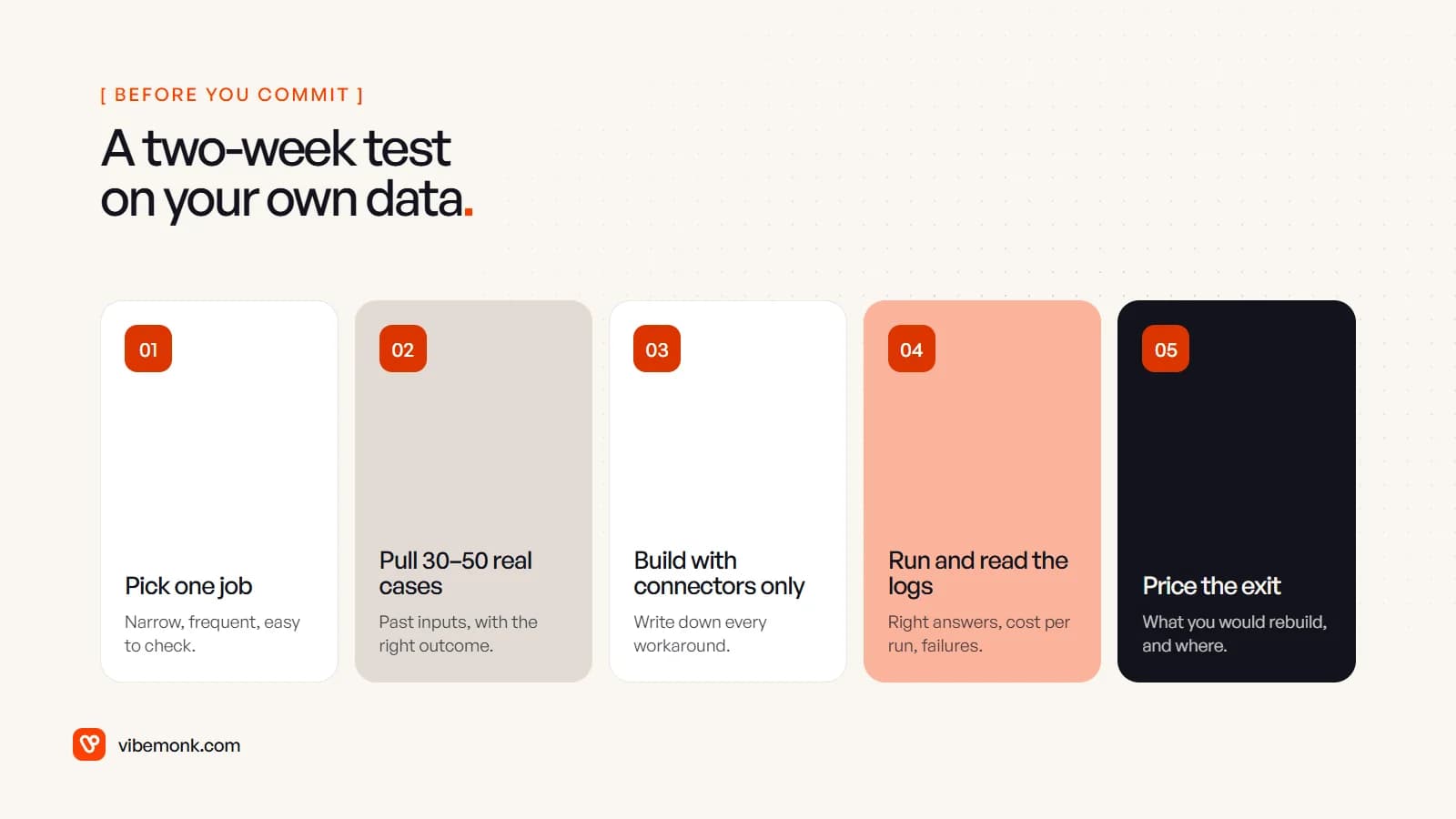
- Pick one job. Narrow, frequent and easy to check: "tag and route support email", not "handle support".
- Pull 30 to 50 real past cases, with the right outcome for each. Include the awkward ones: the angry email, the forwarded thread, the request in a second language. These become your test set.
- Build with connectors only, and write down every workaround. Each raw HTTP request, code node or duplicated branch goes on a list. That list is the most honest measure of fit you will get.
- Run the cases and read the logs. Count how many the agent got right, what one run cost in the builder's own unit, and how each failure happened. Multiply the cost per run by your real monthly volume, then by three, because volumes grow and agents retry.
- Price the exit. Write down what you would have to rebuild if the vendor changed its pricing or shut the product: the instructions, the flow logic, every connector. If the answer is "everything, by hand", that is a cost of choosing this builder, even if you never pay it.
Then read the results honestly. If the agent got most cases right, the workaround list is short and the cost is clear, use the builder. That is a good outcome, and it is cheaper than custom work. If the workaround list is long, the failures cluster around rules the model ignored, or the cost per run is unpredictable, the builder is telling you something.
When to move beyond the builder
A no-code builder is often the right first version even when it is the wrong final one. It proves the job is worth automating and gives you the test cases. The signs it is time to move on are usually plain:
- More of the agent lives in code nodes and raw HTTP requests than in connectors.
- A rule has been broken by the model more than once, and the fix was another sentence in the prompt.
- The monthly bill moves with how chatty the agent was, not with how much work it did.
- Customers or staff need their own screen for it: an approval panel inside your app, or a view of what the agent did on their record.
- Someone asks "why did it do that?" and nobody can answer from the logs.
At that point the job usually needs software built around your process: the agent loop in code, rules enforced by the tools themselves, tests that run before every change, and an interface where your team works. If the builder is still doing its job, keep it. If it is not, our AI agents and automation work starts from the test cases your pilot produced, and when the agent needs its own screens or sits inside a larger system, that is custom software.
Whichever way it goes, the two-week test is the useful part. Run it before you sign an annual plan, not after.